


Picking an anti-detect browser looks easy until the extras start stacking up: proxies, paid templates, team access. This Incogniton vs GenLogin comparison shows exactly what you get for your money with each tool, and where the headline price stops telling the whole story. Both give every account its own separate browser fingerprint. The difference is in what comes included, how your team works together, and how much control you keep over your data.
Who each tool is for: Incogniton is built for marketers, agencies, e-commerce sellers and freelancers who want proxies included, clear role-based team permissions and a choice over where their browsing data lives. GenLogin suits solo users and small teams who want the most profiles per dollar, already have their own proxies, and like building automations in a no-code, drag-and-drop editor.
Our verdict up front: for most readers, Incogniton is the better choice. GenLogin's sticker prices are lower, but its plans don't include proxies, and some ready-made automation miniapps cost $10/month each on top of the subscription (GenLogin pricing, miniapp catalogue, as of September 2026). Every Incogniton plan, including the free one, comes with free built-in proxies, and you can try 10 profiles free for 2 months without a credit card.
TL;DR
- Proxies included: free built-in proxies on every Incogniton plan. GenLogin's plans don't include them; you bring your own or buy them separately.
- No surprise add-ons for automation: Incogniton's Synchronizer, Cookie Collector and Selenium/Puppeteer/REST API come with Entrepreneur and up. Some GenLogin miniapps cost $10/month each.
- Bigger savings for longer billing: 30% off for 6 months and 40% off yearly on Incogniton, against roughly 33% off yearly and no 6-month option on GenLogin.
- Your data, your choice: turn off Cloud saving and your browsing data stays on your own computer. Optional 2FA is available on every plan, including the free one.
- Where GenLogin wins: more profiles and team members per dollar on monthly billing, from $15/month for 50 profiles and 2 members.
Start free: 10 profiles for 2 months → No credit card required. Or compare all Incogniton plans.
Incogniton vs GenLogin: A Brief Overview

Incogniton is an anti-detect browser built for multi-accounting professionals and teams. Developed in Amsterdam and launched publicly in 2020, it's used by more than 1 million people and holds a 4.6/5 rating on Trustpilot (208 reviews, September 2026).

It's built for agencies, marketers and teams that need role-based access rather than one shared login, with free built-in proxies so every new profile can go online straight away.
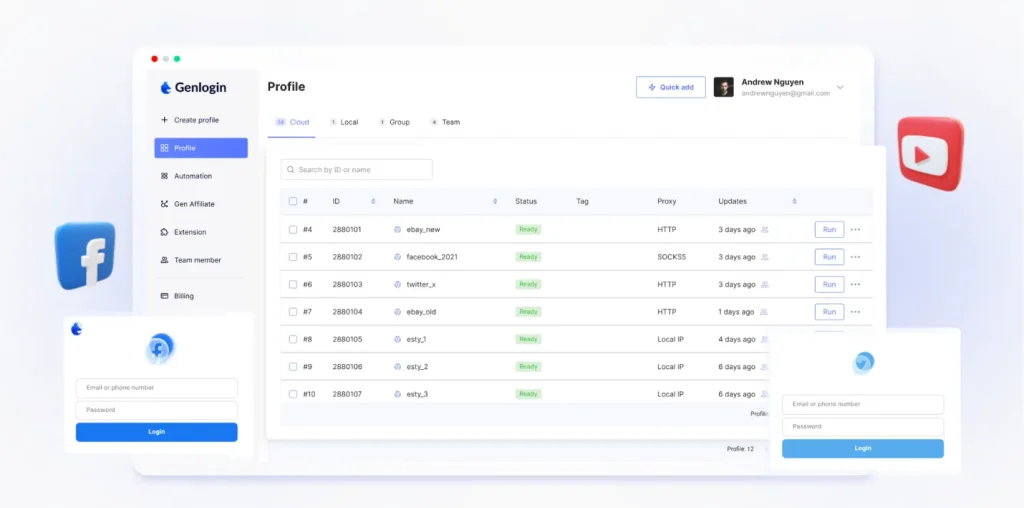
GenLogin is a Vietnamese antidetect browser built on a custom Chromium core it calls Titan Browser. It leans heavily into automation, with a no-code, drag-and-drop workflow builder and a Mini-App Marketplace where users can buy or sell pre-built automation templates for tasks like account warming, data scraping or bulk posting.
Both tools solve the same problem. Regular browsers expose a fingerprint made up of your operating system, screen resolution, fonts, GPU and other details, and platforms use it to link multiple accounts to one person, even across different logins. Anti-detect browsers give every profile its own distinct, consistent fingerprint, so each account looks like it comes from a different device.
Incogniton vs GenLogin: Pricing at 10, 150 and 500 Profiles
Here's what each tool costs at three common sizes: a solo user, a small team and an agency. Prices are the cheapest plan that covers the profile count, as of September 2026. GenLogin figures come from its pricing page.
| What you need | Incogniton | GenLogin (as of September 2026) |
| 10 profiles (monthly billing) | Starter Plus: $19.99/month, free built-in proxies included | Mini Plus: $15/month (50 profiles, 2 members), no proxies included |
| 150 profiles + team seats (monthly billing) | Professional: $79.99/month, 3 team seats, free built-in proxies included | Solo Plus: $29.25/month (150 profiles, 5 members), no proxies included |
| 500 profiles + team seats (monthly billing) | Custom Package: $149.99/month, 10 team seats, free built-in proxies included, scalable to 5,000 profiles | Company Plus: $141.75/month (1,500 profiles, 40 members; Team Plus stops at 450 profiles), no proxies included |
| Same three sizes, annual billing (per month) | $11.99 · $47.99 · $89.99 (40% off) | $10 · $19.50 · $94.50 (roughly 33% off) |
| Same three sizes, 6-month billing (per month) | $13.99 · $55.99 · $104.99 (30% off) | No 6-month option |
| Extra team seat | $5/month | — |
| Proxies | Free built-in proxies on every plan, including free | Not included; bring your own or buy separately |
| Ready-made automation | Synchronizer, Cookie Collector and Selenium/Puppeteer/REST API (Entrepreneur and up) | Free and paid miniapps; some cost $10/month each |
| Free option | 10 profiles for the first 2 months, then 3; no credit card | 5 profiles |
Let's be straight about it: on monthly billing, GenLogin gives you more profiles and more team members per dollar at every size.
But the sticker price isn't the whole bill. Every Incogniton plan includes free built-in proxies, so a new campaign doesn't automatically mean a new proxy purchase. GenLogin's plans don't include proxies: you import your own or buy them through its Gen-proxy marketplace, a recurring cost that isn't in the headline price. Add any paid miniapps at $10/month each, and the real monthly cost keeps climbing. On annual billing, the agency tier flips outright: 500 profiles with 10 seats costs $89.99/month on Incogniton, against $94.50 for GenLogin's Company Plus. And only Incogniton offers a 6-month plan, so you get a 30% saving without committing to a full year.
Starting out? Incogniton's free plan gives you 10 profiles for your first 2 months, twice GenLogin's free 5, so you can test a real workflow before you pay anything.
See Incogniton plans: free proxies included on every plan → Or start free with 10 profiles for 2 months.
Incogniton vs GenLogin: Feature Comparison
Once you get past the plan names, the practical differences come down to how proxies work, how automation is built, and how easily a team can work safely inside the tool.
Proxies
This is where Incogniton makes day-to-day work simplest. Free built-in proxies come with every plan, including the free one, so you can create a profile and put it online straight away. Prefer a specific provider? You can use your own proxies too.
GenLogin requires you to bring your own proxies or buy them separately through its Gen-proxy integration. That gives you a free choice of provider, but it adds setup work and a cost that Incogniton users skip for straightforward use cases.
Automation
GenLogin's strength is its no-code automation builder and Mini-App Marketplace, where drag-and-drop templates handle tasks like bulk posting or account farming without writing scripts. It's a genuinely useful approach for high-volume, repetitive workflows, and GenLogin also ships its own Synchronizer that mirrors actions across open profiles.
Incogniton gives you both sides from the Entrepreneur plan ($29.99/month) upwards. The Synchronizer repeats what you do in one profile across many others, with no code at all, and the Cookie Collector warms up new profiles automatically. When you want full control, the REST API and Selenium and Puppeteer integration let you script your own workflows. None of it is sold as a separate monthly add-on.

Team access
GenLogin includes team members even on its lower tiers (2 on Mini Plus, 5 on Solo Plus), which makes it approachable for a two- or three-person operation.
Incogniton is built for teams that need accountability. The Professional plan includes 3 team seats, Custom Package includes 10, and every extra seat is just $5/month. With team management you set role-based permissions per member and per group, so everyone gets exactly the access they need and nothing more. Profile transfer (Entrepreneur and up) lets you hand a profile to a colleague.
Browser profiles and fingerprints
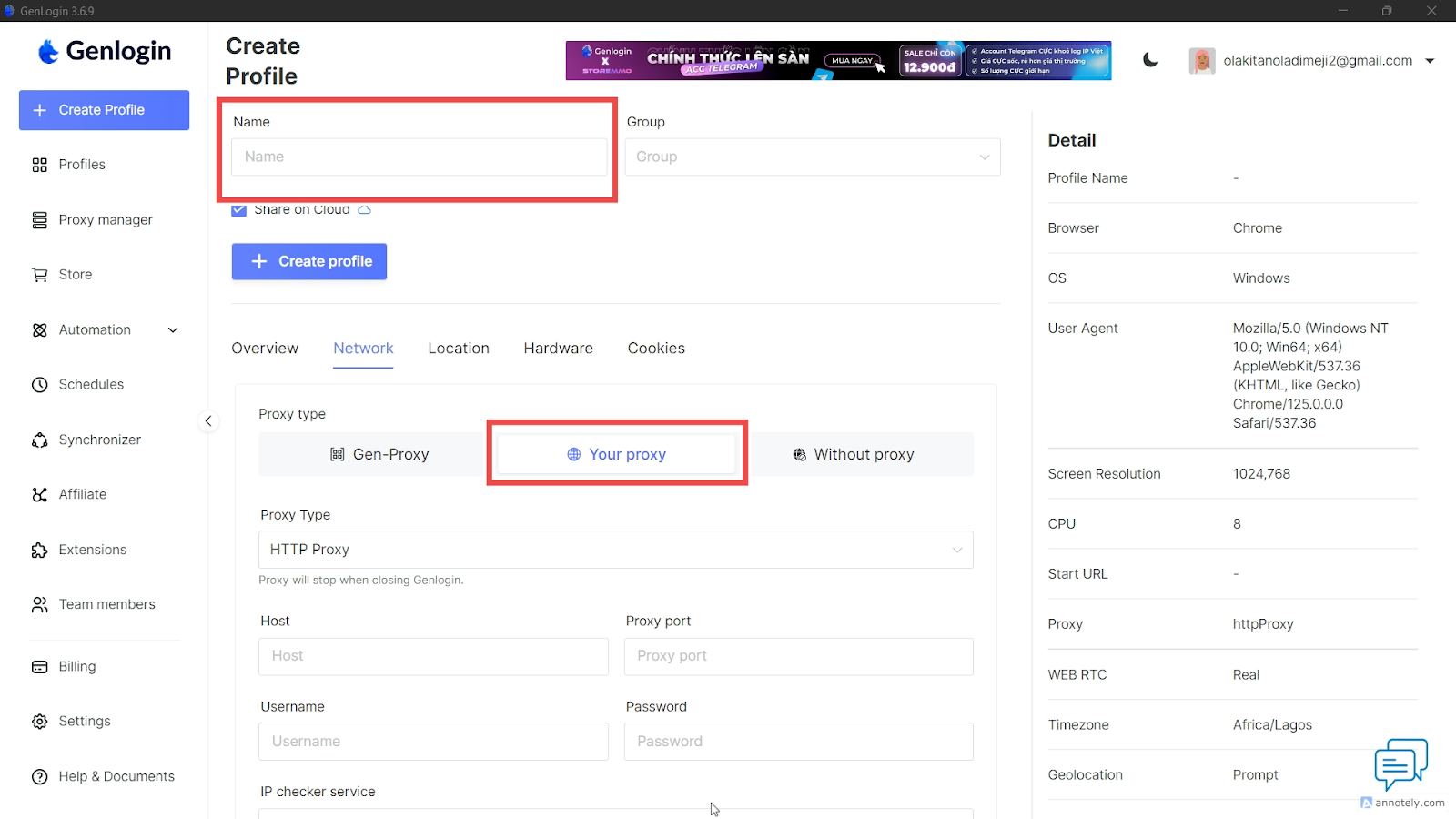
Both tools give every profile its own separate fingerprint, and in Incogniton each profile has its own privacy and network settings, as the screen below shows.

If fingerprint quality is your top priority, run your own tests: Incogniton's free plan gives you 10 profiles for 2 months to do exactly that, no credit card needed.
Support and track record
Incogniton offers support through live chat and email, and it has a large, established review base: 4.6 out of 5 on Trustpilot from 208 reviews (September 2026), with more than 1 million users.
GenLogin's third-party review volume is still thin: its Trustpilot page has only a handful of reviews, and its AppSumo listing sits at 3.67 out of 5 from 3 verified users, too small a sample to draw firm conclusions from.
Security and Data Control
Your anti-detect browser holds the keys to every account you run, so it matters where that data lives and who can reach it. Incogniton puts you in control:
- You decide where your browsing data lives. Turn off Cloud saving, and your browsing data (cookies, saved logins, local storage and history) stays on your own computer. Profile settings and fingerprint configuration are still stored on Incogniton's servers.
- Choose your storage region: US, EU or Asia.
- Two-factor authentication on every plan. Optional TOTP 2FA works with any authenticator app, on every plan, including the free one.
- Session control. See every signed-in device and log out of all of them in one click.
- Team permissions. Role-based permissions per member and per group.
- Safer transfers. Profile data moves over HTTPS with short-lived signed links.
| Security and data control | Incogniton | GenLogin |
| Two-factor authentication | Optional TOTP with any authenticator app, on every plan including free | — |
| Keep browsing data on your computer | Yes: turn off Cloud saving and cookies, saved logins, local storage and history stay on your computer (profile settings and fingerprint configuration remain on Incogniton's servers) | — (cloud data sync is listed as a paid-plan feature from Mini Plus; source) |
| Choose storage region | US, EU or Asia | — |
| Log out of all devices | Yes, in one click | — |
| Role-based team permissions | Per member and per group (Professional and up) | — |
| Data transfer | HTTPS with short-lived signed links | — |
A dash means we couldn't find the information in GenLogin's public pricing and product pages. Whichever tool you choose, use a strong, unique password and turn on two-factor authentication.
Where GenLogin Falls Short
GenLogin has no major flaw in our public-source review, but there are cost trade-offs to know about before you buy. All facts below are as of September 2026.
- Some ready-made automations cost extra. Its miniapp catalogue mixes free templates, such as Amazon Upload Listing and Facebook Post Scraping, with paid ones. Miniapps including TikTok Video Upload, Farming Ebay Account and Auto interact on X are listed at $10/month each on top of your subscription. A GenLogin plan doesn't cover every ready-made workflow, so if your setup depends on a few paid miniapps, add their monthly fees to your budget.
- Proxies aren't bundled. You bring your own or buy them separately, whereas Incogniton includes free built-in proxies on every plan.
- Smaller long-term discounts. Roughly 33% off for annual billing and no 6-month option (pricing), against 30% for 6 months and 40% yearly on Incogniton.
To be fair, the paid templates are optional: you can build your own workflows in GenLogin's no-code editor or use the free miniapps instead.
Verdict: Incogniton or GenLogin?

Choose Incogniton as your GenLogin alternative if you manage client accounts, run ad campaigns across multiple geographies, or need tight control over who can access which profile. That's most of our readers. You get free built-in proxies on every plan, the Synchronizer, Cookie Collector and automation API without monthly add-ons, role-based permissions per member and group, 2FA on every plan, and the option to keep your browsing data on your own computer. At 500 profiles on annual billing, it's also the cheaper of the two.
Consider GenLogin only if you want the most profiles and team members per dollar on monthly billing, already pay for your own proxies, and prefer building automations in a drag-and-drop editor with a template marketplace.
Start free: 10 profiles for 2 months → No credit card required. Ready to scale? See plans with free proxies and team seats included.


