









Cloud phones

Manage Mobile Apps With Incogniton Cloud Phones

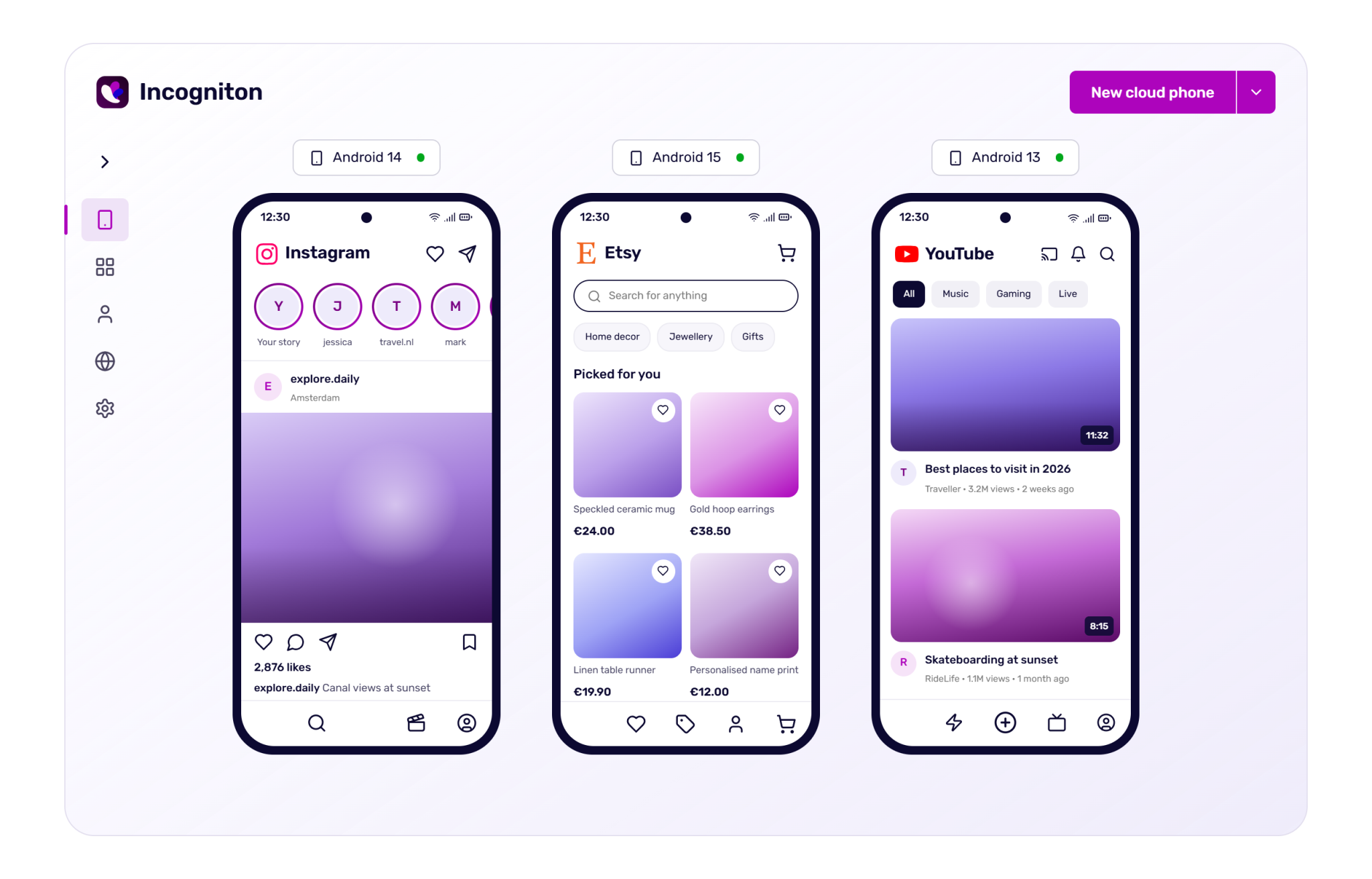
Manage multiple cloud phones from within the Incogniton app and scale your social media campaigns and other multi-account workflows – all from a single device. 

No credit card required Runs inside the Incogniton app
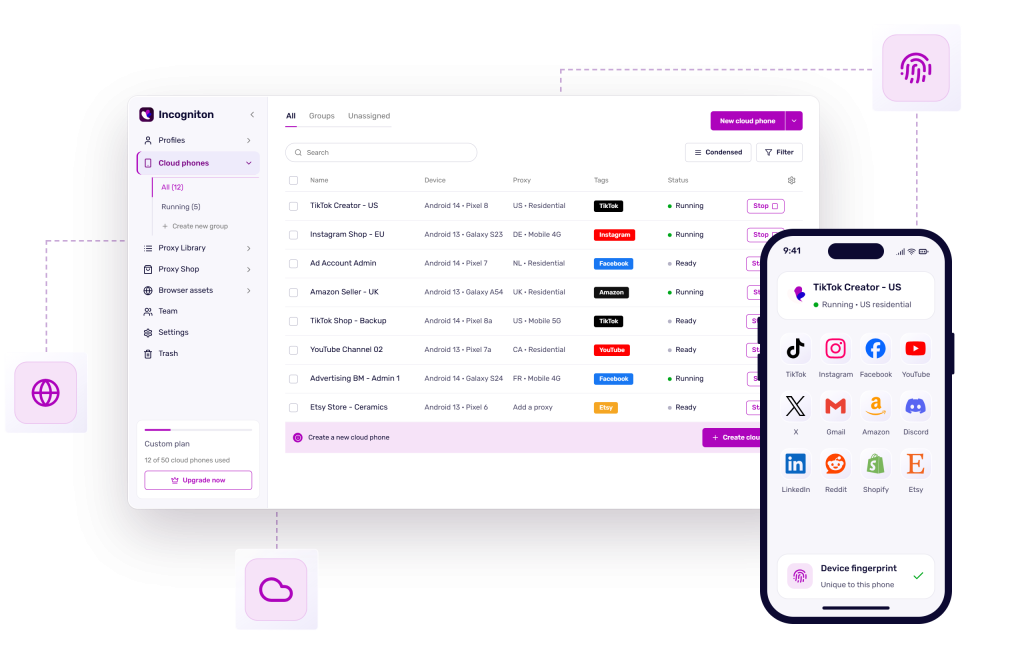
Incogniton application interface showing a list of cloud phones with their names, devices, proxies, tags, and statuses, alongside a mobile phone displaying the "TikTok Creator - US" profile.
Who it is for

Built for managing multiple accounts

Incogniton Cloud Phones are virtual Android devices with their own apps, storage and network connection. Built for teams and professionals who manage multiple mobile accounts and need to keep them separate.

Instagram

Social media agencies

Manage client accounts on Instagram and Threads without them ever touching the same device.

TikTok

TikTok creators and shops

Post from the app, reach each market with a local IP and keep every storefront separate.

Facebook

Media buyers

Verify and run Meta ad accounts from the mobile app, where many checkpoints are cleared.

Vinted

Marketplace sellers

Run app-first shops on Vinted and similar marketplaces, one seller identity per phone.

Why cloud phones

A real Android device, in the cloud

Real device fingerprint

Genuine ARM hardware, not an emulator. Model, IMEI, sensors and build properties are consistent and unique per phone.

Its own IP

Every cloud phone gets a dedicated proxy, so no two accounts ever share an address.

State that persists

Apps, logins and files stay on the phone between sessions. Pick up where you left off, from any machine.

Share with your team

Colleagues can use the same cloud phone without sharing passwords. Choose permissions per team member.

Automation ready

Connect over ADB or the Incogniton API to script posting, warming and routine tasks across phones.

Schedule tasks

Keep phones running by scheduling future tasks. Even when your device is turned off, your work continues.

How it works

Managing cloud phones in just three steps

01

Create a cloud phone

Pick a device model and Android version. The cloud phone will have its own IMEI, serial and build fingerprint.

02

Add a proxy

Use the built-in IPs or add your own. Time zone, language and location follow the proxy automatically.

03

Open it from your desktop

Launch the cloud phone, install apps from the Play Store and log in. The phone keeps its state when you close it.

One workspace

Phones and browser profiles, side by side

Cloud phones can be found in your Incogniton dashboard, showing an overview of the phones you created and all the features. Tag them, add proxies and launch them from one place.

  • Run the web and app side of one account together
  • One proxy library for phones and profiles
  • One bill, one team, one login
Incogniton app with cloud phones and browser profiles
Compared

Cloud phone, emulator or physical phone

Incogniton Cloud PhoneEmulatorPhysical phones
Real device hardware identity
No hardware to buy or maintain
Runs when your computer is off
Share with team members
Pricing

Flexible cloud phone pricing

Add phones to run more accounts at once, and top up startup time to keep them running.

  • Billed monthly
  • Cancel anytime
  • No long-term contracts

Cloud phones

A real Android phone in the cloud. Includes 30 minutes of startup time.

$3 / phone / month
Number of phonesBilled monthly, cancel anytime 1

Startup time Optional

Extra running minutes, shared across all your phones. One-off, no subscription.

from $8 / 1,000 min
1,000 minutes$8 · $0.0080 / min 0
2,000 minutesSave $1$15 · $0.0075 / min 0

Your order

  • 1 cloud phone$3.00 / month
Due today$3.00
Then $3.00 / month · VAT may apply Continue to checkout

Every cloud phone includes

  • Real ARM hardware, not an emulator
  • Own apps, storage and network per phone
  • Pick the device model and Android version
  • FREE built-in proxies, or bring your own
  • Batch app install and automation
  • Share phones with team members

Frequently Asked Questions

A cloud phone is a virtual smart phone environment that runs on remote cloud servers. You can use them to install apps and run multiple accounts, without needing an actual phone. 

Incogniton cloud phones operate with Android OS, creating virtual Android environments. 

The cloud phones are accessible from your desktop app. From there, you can create a cloud phone (pick a device model and Android version), add a proxy and launch the cloud phone from your dashboard. Repeat this workflow if you want to create multiple virtual environments.

Read this guide for a more detailed explanation.

A cloud phone costs $3 per phone per month and includes 30 minutes of startup time. Extra startup time is a one-off purchase: 1,000 minutes for $8 or 2,000 minutes for $15, shared across all your cloud phones. You can buy both on this page or in the Incogniton app.

Yes, if you have a paid subscription (starting from the Starter Plus plan) you’ll get one cloud phone for free for one month. After the trial ends, you can buy additional cloud phones and cloud phone minutes in the app.

Cloud phones are used for managing multiple social accounts on mobile apps like TikTok, Facebook, Instagram and X. You can post and engage from different (client) accounts and run campaigns, all from one place.

Another use case is running multiple stores on eBay or Etsy, using cloud phones to separate accounts and scale workflows. 

Yes, just like with browser profiles, cloud phones come with free built-in proxies. 

Please note that you always need to attach a proxy to a cloud phone. You can either use a free built-in proxy, buy a proxy from Incogniton’s own proxy shop, or attach a proxy from an external supplier. 

Incogniton’s cloud phones support batch application installation, uninstallation and startup.

There are also several automation options, such as completing repetitive tasks like multi-account logins and content publishing. 

It’s also possible to share cloud phones with team members and set permissions for each member.

Yes, you can invite team members to your Incogniton account and share cloud phones to work efficiently together. You can set permissions per team member so everyone has access to what they need and you keep full control over the account.

Emulators simulate hardware via software without real hardware information. Incogniton’s cloud phones use real ARM hardware with real phone operation logic to simulate Android environments. 

Another difference is that emulators rely on local PC hardware which can cause performance issues. Cloud phones run in the cloud, which makes managing multiple heavy apps a smooth process without slowing your device.

Start managing cloud phones today

Choose your subscription and start your free trial.

purple block with 4 profiles and social media icons next to it