


The best antidetect browsers give every account its own realistic browser fingerprint, so you can run many identities from one computer and keep your privacy intact. That matters more every year: AI systems are data-hungry, and tracking techniques such as browser fingerprinting recognise you even in Incognito mode or behind a VPN.
Our verdict up front: Incogniton is our pick for most people. You get free built-in proxies on every plan, 150 profiles plus 3 team seats for $79.99/month, and you can start free with 10 profiles for 2 months, no credit card needed. GoLogin and Multilogin are cheaper if you only need 10 profiles on your own, and Kameleo suits teams who need mobile browser emulation. Below, we compare all five on price, free plans, platforms and where each one falls short.
Social media managers, affiliate marketers, web automation developers and privacy-conscious users can all benefit from a reliable antidetect browser that keeps their accounts separate online.
These specialised browsers make fingerprint tracking much harder by spoofing your browser fingerprint, which makes it easier to manage multiple accounts without them being linked to each other. In this article, we cover the best free and paid options, how to choose the right one and how to test your setup.
Start free: 10 profiles for 2 months → No credit card required. Or compare all Incogniton plans.
Best Antidetect Browsers in 2026: Our Ranked List
We ranked the top anti-detect browsers on features, account security options, ease of use and total cost. All competitor prices below are from each vendor’s official site, as of October 2026, on monthly billing.
1. Incogniton (our pick)
Best for: Ad managers, social media marketers and small teams managing many accounts.
Key Features:
- Realistic fingerprints generated for every profile, with each profile fully isolated.
- Free built-in proxies on every plan, including the free one.
- Synchronizer, Cookie Collector, cookie export and Selenium/Puppeteer/REST API from the Entrepreneur plan ($29.99/month, 50 profiles).
- Team seats included: 3 on Professional ($79.99/month, 150 profiles) and 10 on the Custom Package (from $149.99/month, 500+ profiles, scalable to 5,000). Extra seats cost $5/month.
- Account security: optional 2FA with any authenticator app on every plan, a list of signed-in devices you can log out in one click, and role-based permissions per member and group (Professional and up).
- Data control: turn off Cloud saving and your browsing data (cookies, saved logins, local storage, history) stays on your own computer. Profile settings and fingerprint configuration are still stored on Incogniton’s servers, in the US, EU or Asia region of your choice.
Why Choose Incogniton?
Developed in Amsterdam and launched publicly in 2020, Incogniton is used by more than 1 million people and holds a 4.6/5 rating on Trustpilot (200+ reviews). It’s favoured for its clean interface, ready-to-use profiles and live chat and email support. It runs on Windows and macOS, and you can try it free with 10 profiles for 2 months (then 3), without a credit card. For a no-nonsense antidetect browser that grows with your team, it’s our first choice.
2. Multilogin
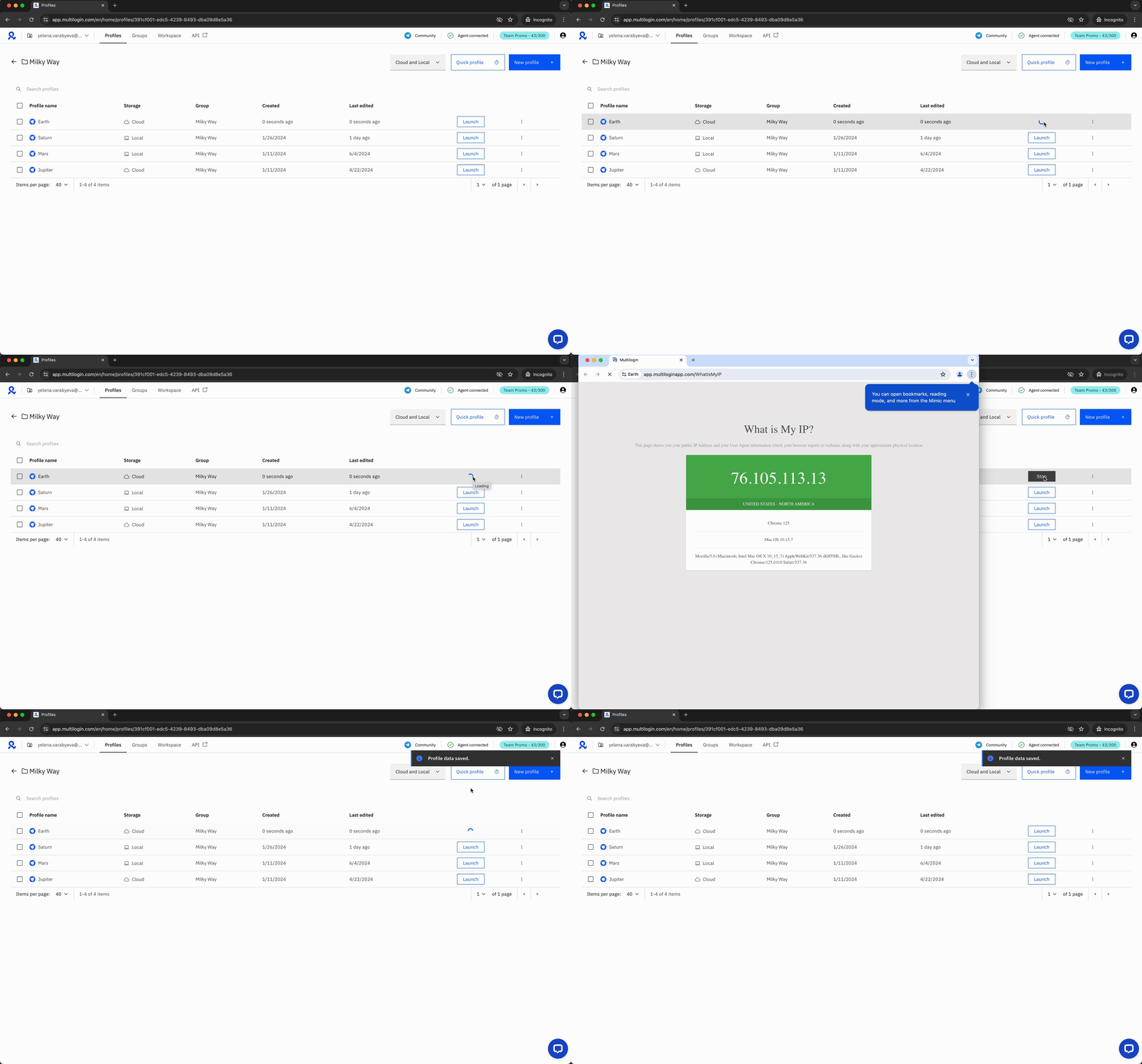
Best for: Agencies that want cloud phones alongside browser profiles.
Key Features:
- Two browser cores: Mimic (Chromium-based) and Stealthfox (Firefox-based), which Multilogin now lists as a legacy core.
- Cloud profiles, mobile profiles and proxy traffic bundled into its plans.
- Pro 10 costs $11/month for 10 profiles and 1 team seat; Business plans from $40/month (100 profiles) add unlimited team seats (Multilogin plan guide, as of October 2026).
- Runs on Windows, macOS and Linux.
Why Choose Multilogin?
Multilogin is one of the longest-running names in the antidetect space, and its entry plan is cheaper than ours at 10 profiles. Where it falls short: its free plan (5 cloud profiles) comes with a catch. Multilogin’s plan guide says you must start at least one profile every 7 days, and “after 7 days of complete inactivity, your profiles are deleted automatically” (source). If you use profiles only occasionally, a two-week holiday could cost you every saved browser environment. See our full Incogniton vs Multilogin comparison.
3. GoLogin
Best for: Solo users on a tight budget and people who need Linux or mobile apps.
Key Features:
- Cloud-based profiles you can open from anywhere.
- Granular manual control over fingerprint parameters.
- Apps for Windows, macOS, Linux, Android and iOS (source).
- Forever Free plan with 3 profiles, a 7-day trial, and paid plans from $9/month for 10 profiles (GoLogin pricing, as of October 2026).
Why Choose GoLogin?
GoLogin is the cheapest option here for a solo user with up to 100 profiles, and it runs on more platforms than Incogniton. Where it falls short: teamwork. GoLogin’s docs say team members are “a Business-and-above feature” that is not available on Professional or Free (source), and Business starts at $99/month for 300 profiles (pricing, as of October 2026). Incogniton includes 3 seats on Professional at $79.99/month. Read our Incogniton vs GoLogin comparison.
4. AdsPower
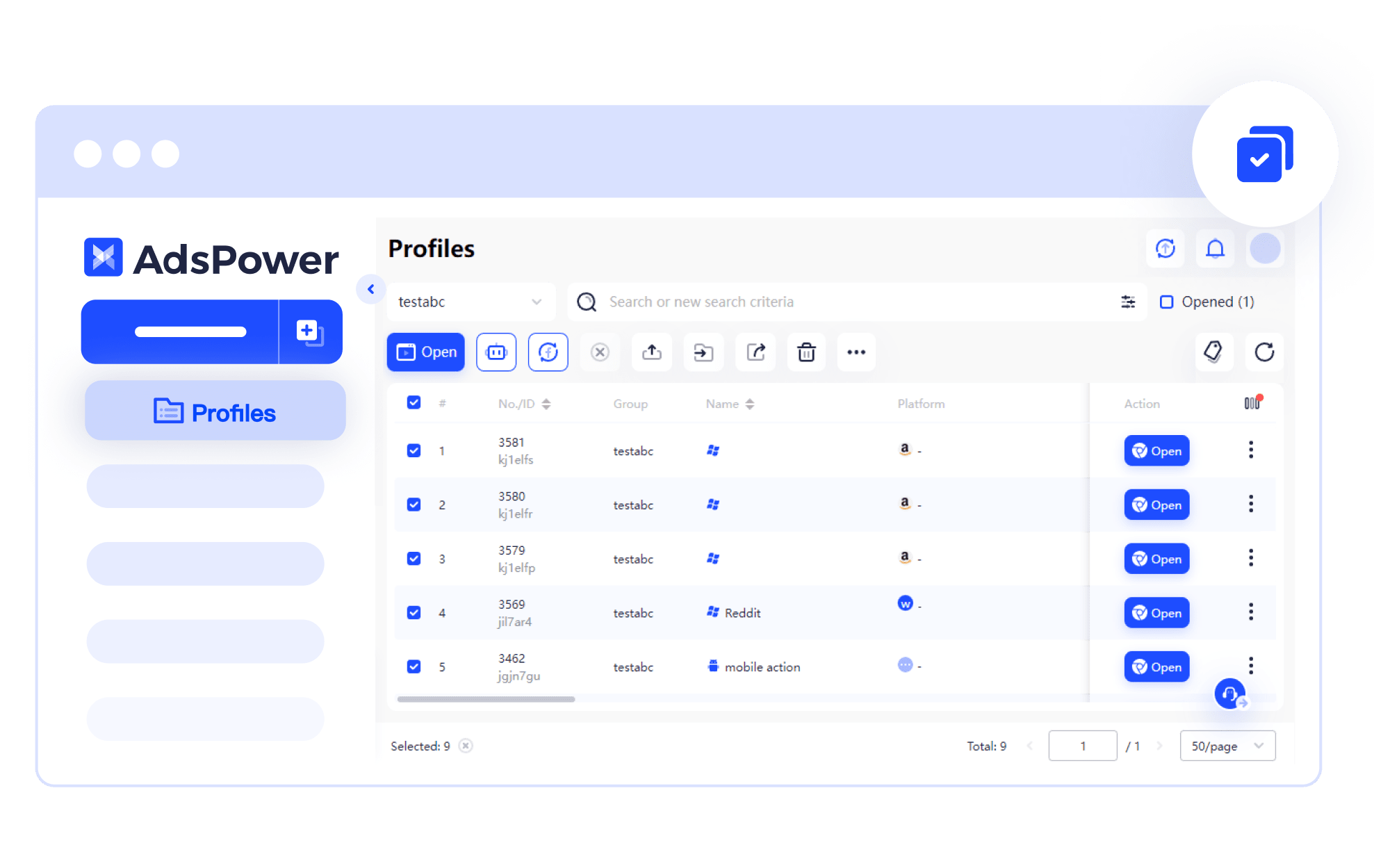
Best for: E-commerce sellers who want no-code automation.
Key Features:
- Chrome- and Firefox-based browsers with custom fingerprints.
- RPA robot, Synchronizer and Local API on paid plans.
- Free plan with 2 profiles and no team members, plus a 7-day trial (AdsPower pricing, as of October 2026).
- Runs on Windows, macOS and Linux (source).
Why Choose AdsPower?
Founded in Hong Kong in 2019, AdsPower is popular with e-commerce operators for its automation tools, and it offers a Linux app, which Incogniton doesn’t. Its paid prices depend on the number of profiles you pick on its pricing page. Where it falls short: in January 2025, MetaMask reported that wallet extensions in AdsPower had been replaced with fraudulent versions that captured seed phrases and passwords, and advised users who installed or updated MetaMask there between 21 and 24 January 2025 to act (MetaMask security report). That is a historical incident, not a current one. Compare both in our Incogniton vs AdsPower comparison.
5. Kameleo

Best for: Developers who need to emulate mobile browsers from a desktop.
Key Features:
- Emulates Android and iOS mobile browsers from your PC.
- Runs on Windows 10/11 and M-series Macs, plus Linux and Windows containers via Docker (source).
- Advanced fingerprint editing and automation with Puppeteer, Playwright, Selenium and a Local API.
- Priced by concurrent browsers: Startup is €59/month for 10 at a time (Kameleo pricing, as of October 2026).
Why Choose Kameleo?
Kameleo is strong for mobile emulation and Docker-based automation, and its paid plans include unlimited team members. Where it falls short: you pay for how many browsers run at the same time, not how many profiles you store. The free plan allows 2 concurrent browsers and 300 minutes of browser usage a month (source), and Kameleo says running profiles count towards that time even when idle (source). In our view, it also has a steeper learning curve than Incogniton.
Antidetect Browser Comparison Table
| Browser | Best For | Pricing (monthly billing, as of October 2026) | Free option | Standout Features |
| Incogniton | Ad managers, social media marketers & small teams | From $19.99 (10 profiles); $79.99 for 150 profiles + 3 seats | 10 profiles for 2 months, then 3; no credit card | Free built-in proxies on every plan, Synchronizer, Cookie Collector, API, team roles; Windows & macOS |
| Multilogin | Agencies needing cloud phones | From $11 (10 profiles, 1 seat) (source) | 5 cloud profiles, deleted after 7 days of complete inactivity | Mimic core, mobile profiles, bundled proxy traffic; Windows, macOS & Linux |
| GoLogin | Solo users on a budget | From $9 (10 profiles); team members from Business, $99 (source) | 3 profiles forever, plus 7-day trial | Cloud profiles; Windows, macOS, Linux, Android & iOS |
| AdsPower | E-commerce automation | Priced by profile count on its pricing page | 2 profiles forever, plus 7-day trial | RPA robot, Synchronizer, Local API; Windows, macOS & Linux |
| Kameleo | Mobile browser emulation | From €59 (10 concurrent browsers) (source) | 2 concurrent browsers, 300 minutes/month | Android/iOS browser emulation, Docker support; Windows & M-series macOS |
Best Free Antidetect Browser
Paid plans unlock the most advanced workflow and team tools, but free plans cover the core job: giving each profile its own fingerprint. Here are the best free options:
1. Incogniton (Free Starter)
Incogniton’s Free Starter plan gives you 10 browser profiles for the first 2 months, then 3, with no credit card required. Free built-in proxies and optional 2FA are included, so it’s an easy way to try antidetect browsing without commitment. When you need more, Starter Plus keeps 10 profiles for $19.99/month.
2. Mozilla Firefox with Manual Tweaks
Although not a dedicated anti-detect browser, Firefox can be modified with privacy-focused extensions (like CanvasBlocker and User-Agent Switcher) to improve privacy. However, it doesn’t give you separate, consistent fingerprints for multiple accounts.
3. GoLogin (Forever Free)
GoLogin’s Forever Free plan includes 3 browser profiles with no time limit, and new accounts get a 7-day trial with full features (source). AdsPower (2 free profiles) and Multilogin (5 free cloud profiles, deleted after 7 inactive days) also have free plans, as shown in the table above.
How to Pick the Best Antidetect Browser
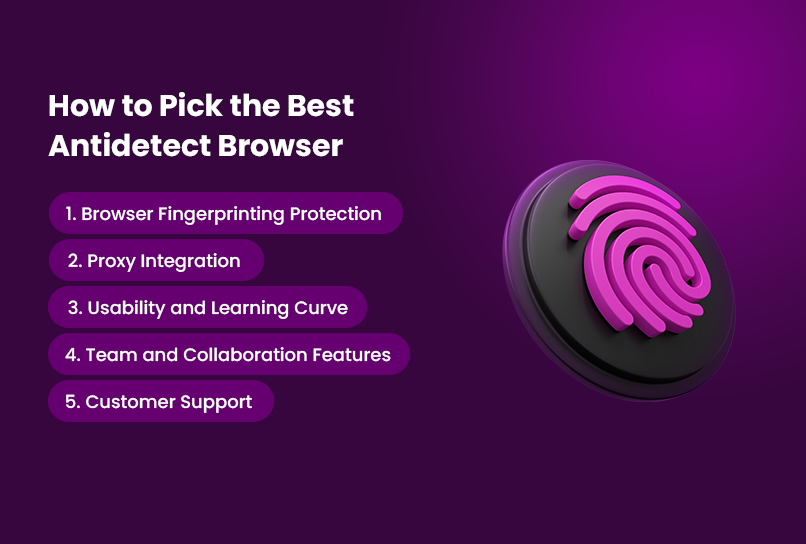
While most antidetect browsers promise privacy, they are not all built the same. Here’s what to focus on when making your pick:
1. Browser Fingerprinting Protection
This is non-negotiable. Your browser fingerprint includes everything from screen resolution and installed fonts to hardware specs and time zones. Choose a browser that generates realistic, consistent fingerprints by default and lets you customise them per profile when you need to.
2. Proxy Integration
Your fingerprint might be clean, but if your IP leaks, you’re still exposed. The best antidetect browsers let you set a proxy per profile, and residential and mobile proxies tend to work best. Check whether proxies are included (free built-in proxies on every Incogniton plan) or capped and sold as extra traffic.
3. Usability and Learning Curve
You don’t want to spend hours figuring out how to launch a profile. Some browsers cater to technical users, while others offer ready-to-use profiles. Consider your team size, technical ability, and whether you need automation through Selenium, Puppeteer or a REST API.
4. Team and Collaboration Features
If you’re part of an agency or manage accounts with others, choose a browser with role-based permissions and shared access, and check which plan they start on. That way, you avoid sharing credentials over spreadsheets or insecure apps.
5. Account Security and Support
Your antidetect account holds the keys to all your other accounts. Look for two-factor authentication, a list of signed-in devices and control over where your data is stored. And check whether the provider offers live chat, email and a knowledge base.
See Incogniton plans: team seats and free proxies included → Or start free with 10 profiles for 2 months.
How to Test If Your Antidetect Browser Actually Works
Even with the best antidetect browser, you should always verify that your setup is working correctly. Here’s how:
1. Test for Browser Fingerprinting
Websites use advanced fingerprinting techniques to track users. Check your profiles with:
- Fingerprint Identity checker – Confirm that each profile gets a different visitor ID and history.
- BrowserLeaks – Tests various tracking methods, including canvas fingerprinting and WebGL.
Passing a checker is a useful sanity check, not proof that no platform can ever link your accounts.
2. Check for IP Leaks
Even if your browser fingerprint is masked, an exposed IP can still get you flagged. Use ipleak.net to verify that your IP matches your proxy and there are no leaks.
3. Simulate Real-World Usage
Log into different accounts and test behaviour across platforms like Google, Meta and e-commerce sites. If you’re getting CAPTCHA prompts or verification requests too often, adjust your settings or try a better proxy.
How to Stay Anonymous While Using Anti-detect Browsers
Using an antidetect browser is a critical first step, but it’s only part of the equation. True anonymity requires smart configuration and disciplined behaviour.
1. Assign a Unique Proxy to Each Profile
Every browser profile should have its own dedicated IP address. Datacenter proxies are cheap but easier for platforms to spot. Residential or mobile proxies make your traffic look more like a regular user’s.
2. Never Reuse Profiles Across Accounts
Reusing profiles is a fast way to get accounts linked. Treat each account as an entirely separate identity, with its own proxy, fingerprint, language, time zone and screen resolution.
3. Avoid Cross-Contamination
Keep personal and professional activities separate. Don’t check your personal Gmail in the same profile you use for ad campaigns or client work.
4. Keep Fingerprints Consistent, Not Fancy
You don’t need a wild mix of settings to confuse trackers, just a believable one. If your user agent says “Mac”, don’t pair it with a screen size or font stack that screams “Windows”. Mismatched fingerprints draw more attention than ordinary ones.
5. Ditch Unnecessary Plugins and Extensions
Extensions can leak data or create inconsistencies. Only install what you need in each profile, and get extensions from official stores.
6. Stick to Natural Behaviour Patterns
Bots get caught when they behave like bots. Click around, scroll through feeds and wait between actions. Whatever you use anti-detect browsers for, make it look and feel human. Anonymity comes from the full setup, not just the browser: proxy, profile and process all have to support it.
Conclusion
Online platforms are tightening restrictions, and tracking methods keep getting smarter. If you manage multiple accounts, run ads, scrape data or just want to stay private, a good antidetect browser is essential.
GoLogin and Multilogin are cheaper if you only need 10 profiles on your own, and Kameleo is worth a look for mobile emulation. For most people and teams, though, Incogniton is the best all-round pick: free built-in proxies on every plan, 3 team seats on Professional, optional 2FA for everyone and a generous free start. Choose wisely, test regularly and keep your setup consistent.
Start free: 10 profiles for 2 months → No credit card required. Ready to scale? See all Incogniton plans.


