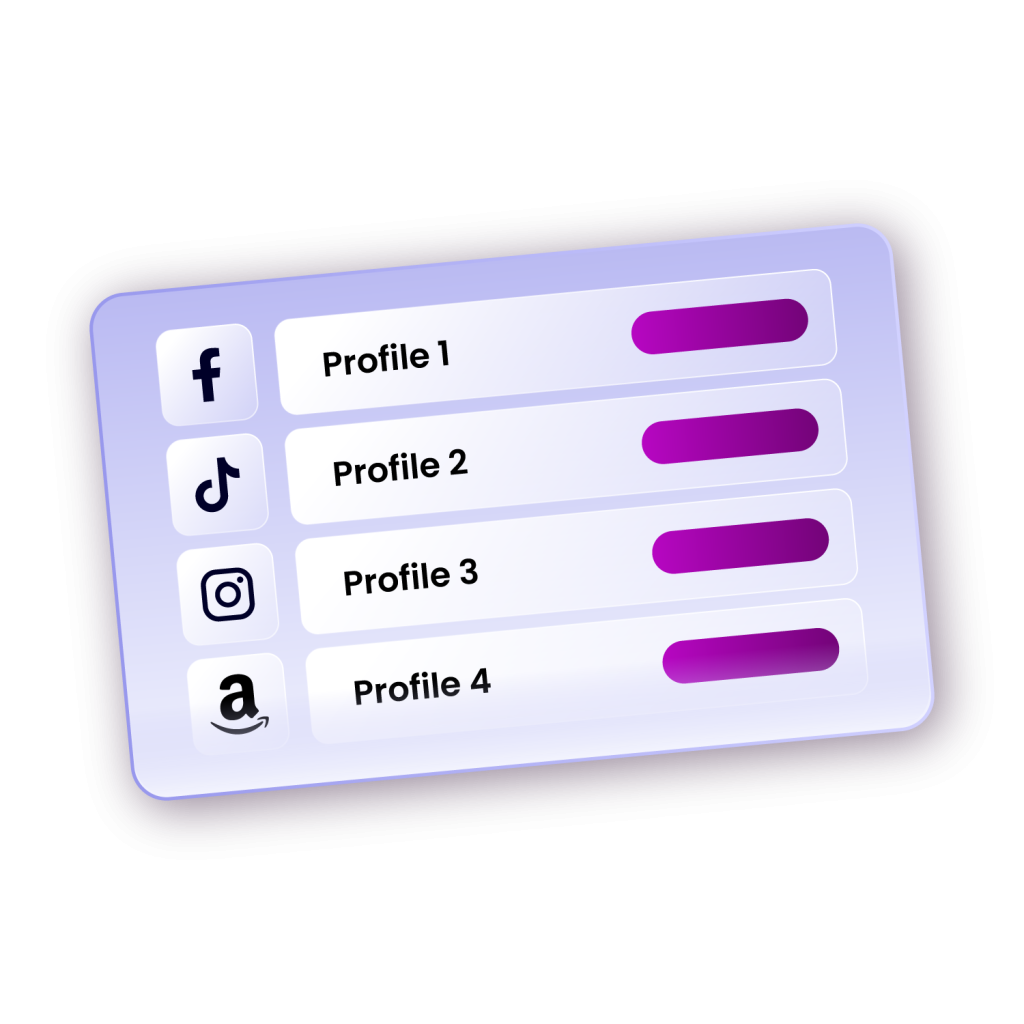

Four platforms, one mission: reaching the right eyes at the right time. That’s the very essence of Media buying. As audiences spread across Facebook, Google, TikTok, X, and native ad networks, running ads on a single platform is no longer enough.
Media buying provides a structured process of planning, executing, and optimizing paid campaigns across multiple platforms, ensuring efficiency, scalability, and consistent performance. Think of it as the process that turns ad exposure into ROI, not just gathering mere impressions.
But it’s a high-stakes process; a single wrong move can derail your entire campaign. Therefore, in this article, we’ll break down how media buying works, where things often go wrong, and why every professional media buyer needs an anti-detect browser.
The Problems Media Buyers Face
What a media buyer does sounds so straightforward when explained. You manage ad accounts, test creative variations, track performance metrics like CTR, CPA, and ROAS, and optimise campaigns to improve conversions. But in reality, it is quite demanding.
The modern media buyer is part strategist, part data analyst, and part technologist. They manage thousands, sometimes millions of dollars in ad spend, testing creatives, and constantly refining targeting to meet performance goals. Yet what makes the work truly challenging isn’t campaign optimisation alone; it’s operational risk management.
For professionals handling multiple clients or high ad spends, the risks extend well beyond creative testing or bidding strategy. A single platform flag, account link, or IP mismatch can bring your entire operation to a halt.
Here are some of the most common problems media buyers face every day:
1. Multi-Account Management Limits (Bans and Suspensions)
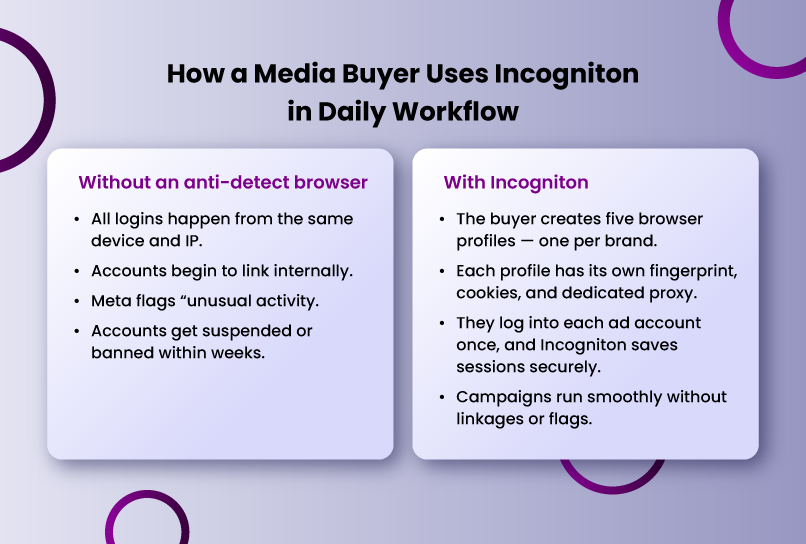
Most ad platforms discourage running multiple accounts from a single browser or device. A media buyer handling five clients or testing multiple ad accounts under one brand can quickly hit invisible compliance walls. Once accounts are linked, bans or restrictions cascade across all of them.
A very common method websites use is browser fingerprinting. Every browser leaves a fingerprint, a set of data points (like screen resolution, installed fonts, GPU type, and more) that uniquely identifies it. Detection systems use these fingerprints to link accounts across different sessions.
Modern media buying is often a team effort. Multiple specialists may need to log into the same ad account, one handling creative uploads, another monitoring performance, and another adjusting budgets.
But when these team members access the account from different devices, IPs, or browser setups, the platform flags the account for “unusual activity.”
In some cases, this triggers verification prompts. In others, it leads to temporary suspensions. Either way, productivity drops, and clients grow anxious. Without proper browser isolation, collaboration itself becomes a security risk.
2. Platform Verification Hassles
Even when accounts remain compliant, media buyers constantly battle sudden verification prompts. These verifications are typically triggered when the platform detects “inconsistent behaviour,” such as logins from varying IPs, devices, or browser configurations.
For example, logging into a U.S.-based Facebook Ads account from a Nigerian or Polish IP without a matching fingerprint can prompt security holds or even temporary bans. This means campaigns can grind to a halt for days while the buyer scrambles to reverify everything.
3. Geo Restrictions
Geo restrictions are another silent threat. Many campaigns are geo-targeted. For example, an ad set might be restricted to U.S. audiences. Running that same campaign from outside the U.S. (without a U.S.-based IP and consistent fingerprint) appears suspicious to the platform.
It’s not about intent; it’s about signals. Platforms interpret these mismatches as a potential policy violation, leading to flagged accounts or throttled ad delivery.
For globally distributed teams or agencies working with international clients, this presents a constant challenge: how do you manage geographically restricted accounts safely without triggering alarms?
4. Difficulty Scaling Safely
To add the final nail in the coffin, all these issues make scaling campaigns extremely difficult.
To scale successfully, media buyers often duplicate campaigns, test new ad sets, or replicate winning strategies across multiple accounts. Doing this in a normal browser environment creates overlap. You get shared cookies, matching fingerprints, and network traces, and these make accounts appear related. Once detection systems establish a link between accounts, a single suspension can compromise the entire setup. Essentially, without technical safeguards, scaling becomes nearly impossible.
How Anti-Detect Browsers like Incogniton Solve These Problems
Anti-detect browsers are not your average privacy tools. They’re purpose-built to help professionals manage multiple digital identities safely and efficiently.
READ MORE: Why Incogniton is the Best Anti-Detect Browser For Multi-Account Management
In essence, an anti-detect browser like Incogniton lets you create multiple, completely isolated browser profiles, each with its own unique fingerprint, cookies, proxy, and device identity. To every web platform, each of these profiles looks like a separate computer operated by a distinct user.
Here’s how this technology directly addresses the core challenges of media buyers.
1. Isolated Browser Environments
Every browser profile in Incogniton operates like its own self-contained computer. Each one carries its own operating system identity (Windows, macOS, Linux), hardware characteristics (CPU, GPU, RAM, screen size), browser version and configuration, and other parameters that make a typical browser/digital fingerprint.
This means you can manage 10, 50, or even 200 ad accounts, and each one will appear entirely independent.
For example, if you’re handling multiple Facebook Ads accounts for different clients, Incogniton allows you to assign a device fingerprint to each one. Even if all those profiles are open at once, Facebook’s detection systems see them as unrelated users.
Beyond safety, the practical benefit is efficiency. Each profile retains its cookies and login sessions. That means when you reopen a profile, you’re instantly logged in — no repeated verifications, no “new device” alerts, and no wasted time switching accounts.
Over the long run, this feature alone saves dozens of hours per month for professional media buyers managing multiple clients or brands.
2. Unique Browser Fingerprints
Incogniton automatically generates a unique and realistic fingerprint for each browser profile. These can be customised or randomised depending on your needs. This breaks the link between accounts and ensures that even if one account faces restrictions, others remain unaffected.
For media buyers, this is crucial when testing different ad strategies, running campaigns for multiple clients, or operating large-scale affiliate setups.
With Incogniton, scaling campaigns is safer and faster. You can create dozens of isolated ad accounts for A/B testing, budget diversification, or contingency planning — all while maintaining clean separation between profiles.
If one account faces restrictions, your entire operation doesn’t go down.
3. Proxy Integration and Geo Consistency
Every ad platform pays close attention to IP addresses. A mismatch between an account’s target location and login location can immediately trigger a review or ban.
Incogniton integrates seamlessly with proxies. You can assign a dedicated proxy to each browser profile, thus giving each one a distinct IP, city, and country.
4. Secure Team Collaboration
In agency environments, multiple team members often need to work on the same account. Without the right setup, this creates digital chaos: conflicting IPs, browser data overlap, and “unusual activity” warnings.
Incogniton’s team collaboration feature eliminates that risk. It allows you to share browser profiles securely with colleagues without sharing passwords or changing device fingerprints.
Each teammate accesses the same “digital environment,” maintaining continuity from the platform’s perspective. No IP mismatches. No duplicated sessions. No red flags.
5. Automation features
While it may seem like a bonus, automation is one of Incogniton’s most powerful productivity boosters. For advanced media buyers, repetitive manual actions like logging in can consume valuable time.
Incogniton supports integration with automation frameworks like Selenium, Puppeteer, and Playwright, allowing you to script and automate routine workflows.
Even without coding experience, you can use Incogniton’s built-in no-code tools to simplify daily tasks. For instance, the Synchronizer feature lets you perform one action across multiple tabs or profiles simultaneously, while Paste as Human simulates human-like typing when pasting text.
Together, these automation tools streamline repetitive work, reduce errors, and increase throughput and thus helping you accomplish more in less time while staying compliant with platform rules.
How to get started using Incogniton
Getting started with Incogniton is quite easy. All you need to do is to follow the steps below.
Step 1. Download and install Incogniton
Go to the official Incogniton website, download the app for your operating system, install it, and create your account.
Step 2. Create a dedicated browser profile for each account for media buying platforms
Inside Incogniton, click “Create New Profile.”
Do this once per account. Never mix two accounts in a single profile. Each profile becomes the permanent device identity for one media buying account, depending on whether you choose to separate them by platforms or by clients.
Step 3. Assign a unique proxy to each profile
In the profile creation page, you would be prompted to assign proxies. You can add your own, buy from the built-in proxy shop, or use the free proxies that come with the browser.
Assign one proxy per profile to maintain separation between accounts. For ad platforms, residential or ISP proxies typically offer the best performance and reliability.
Step 4. Launch the profile and log in
Click “Start Profile.”
This opens a new, isolated browser environment for that specific account.
Log in once, and allow cookies and local storage to build naturally within that environment. From this point onward, always access the account from the same profile to preserve its integrity and avoid detection triggers.
Step 5. Repeat the setup for every additional account
Repeat the process for all other ad accounts or clients you manage.
Each profile should have its own proxy, fingerprint, and stored session — creating a clean, compliant ecosystem where accounts remain fully isolated yet easy to manage.
Conclusion
In short, Incogniton gives you the confidence to scale your media buying operations safely, efficiently, and transparently, without sacrificing compliance or account integrity.
That said, it’s important to stress that anti-detect browsers are not designed to deceive or violate platform policies. Responsible usage matters. Anti-detect browsers are tools for protection, a way to ensure that legitimate advertisers, agencies, and media buyers can work without being unfairly penalised by detection systems that weren’t designed for complex, multi-client workflows.
So, whether you’re running high-volume ad campaigns, managing multiple client accounts, or leading a distributed media buying team, the difference between smooth operations and constant disruptions often comes down to your setup. Incogniton provides the technical foundation you need to stay compliant, efficient, and secure.