
Incogniton’s value isn’t in a single standout feature; it’s in how the different features come together depending on how you work. While every user benefits from fully isolated browser profiles, the tools that matter most beyond that baseline vary by role, workflow, and scale.
Some users need fast, disposable profiles. Others need long-lived environments with strict consistency. Teams may care about access control and collaboration, while technical users focus on automation, proxy behavior, and repeatability. The key takeaway here is that Incogniton’s features do not carry equal weight for every user.
This checklist breaks down Incogniton’s core capabilities by user type, highlighting which features are essential, which are situational, and which you can safely deprioritize so you can align the product with how you actually operate.
A Brief Primer on Incogniton
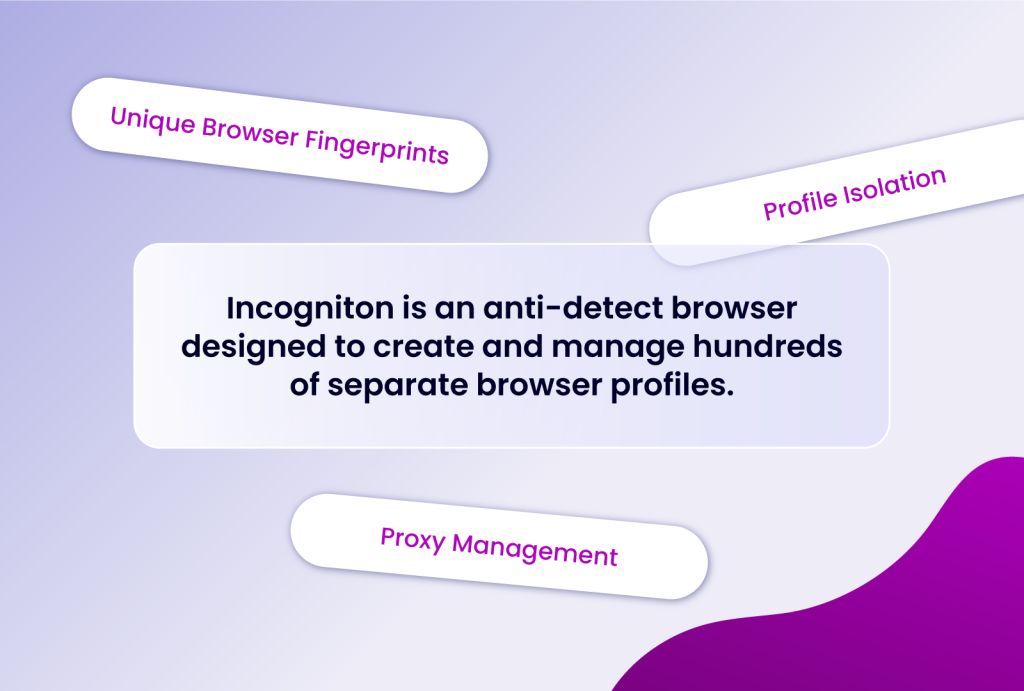
This isolation is crucial for preventing websites and platforms from linking your various online activities, thus avoiding bans, restrictions, or unwanted tracking.
Key to this isolation are features like:
- Unique Browser Fingerprints: Each profile can be customised with distinct browser attributes (User Agent, WebRTC, Canvas, WebGL, fonts, etc.), making them appear as entirely separate devices.
- Profile Isolation: Cookies, cache, local storage, and other browsing data are kept strictly separate between profiles, preventing any data leakage.
- Proxy Management: Assigning a dedicated proxy to each profile ensures distinct network identities, further masking your true location and IP address.
With this foundational understanding, let's break down which Incogniton features are most critical for various professional roles.
For the Solo Entrepreneur & Freelancer
If you're a solopreneur or a freelancer wearing multiple hats, efficiency and cost-effectiveness are key. You need tools that streamline your workflow without breaking the bank.
Essential Incogniton Features:
- Multiple Profile Creation (Up to 10 on Free Plan): The free tier of Incogniton, offering 10 profiles, is a fantastic starting point for individuals managing a few distinct online presences. This allows you to separate personal browsing from work or manage a couple of client accounts effectively.
- Browser Fingerprint Customisation: As a solo operator, you're likely responsible for the authenticity of your online personas. The ability to fine-tune fingerprints ensures each profile appears unique and legitimate to various platforms.
- Proxy Management (Built-in & Third-Party): Whether you use free proxies for less sensitive tasks or invest in dedicated proxies for critical accounts, Incogniton's flexible proxy integration is vital for maintaining anonymity and access.
- Cookie Management (Import/Export): For e-commerce sellers or social media managers, seamlessly transferring session data via cookies is crucial for maintaining login states and avoiding repetitive logins.
- Human Typing Emulation: For tasks involving form filling or posting content, this feature prevents your actions from being flagged as bot-like, preserving the natural feel of your online interactions.
Use Case Example: A freelance social media manager uses Incogniton to manage 5 client accounts. Each client gets its own profile with a unique fingerprint and assigned proxy. They can quickly switch between profiles to post content, respond to messages, and monitor analytics without any platform detecting that all these accounts are managed from a single device.
For the Digital Marketing Agency & Team
Agencies thrive on collaboration, scalability, and efficient management of numerous client accounts. Features that facilitate teamwork and bulk operations are paramount.
Essential Incogniton Features:
- Bulk Profile Creation & Management: For agencies managing dozens or even hundreds of client accounts, the ability to create profiles in bulk significantly saves time and resources.
- Team Collaboration & Role-Based Access Control: This is arguably the most critical feature for agencies. Incogniton allows team leads to invite members, assign specific roles, and control access permissions for various browser profiles, ensuring data security and operational efficiency.
- Cloud Synchronization: The ability to sync profile data across devices and team members ensures everyone is working with the latest configurations and data, regardless of their location.
- Automation API (Selenium & Puppeteer): For agencies aiming to scale their operations through automated tasks like posting, data collection, or ad management, Incogniton's robust API support is a game-changer.
- Advanced Proxy Management: With a large number of profiles, managing diverse proxy configurations (HTTP, SOCKS4, SOCKS5) becomes essential for maintaining distinct identities and geo-targeting capabilities.
Use Case Example: A digital marketing agency handles 50 client accounts across various social media platforms. Using Incogniton's bulk creator, they generate 50 profiles. The agency owner sets up team roles, granting specific account managers access only to their assigned client profiles. Automated scripts are then deployed via the API to manage posting schedules and ad campaigns across these isolated profiles, preventing any cross-account flagging.
For the E-commerce Operator & Affiliate Marketer
These professionals rely heavily on managing multiple accounts on platforms like Amazon, eBay, Shopify, or various affiliate networks. Avoiding bans and maintaining distinct campaign identities are crucial for sustained success.
Essential Incogniton Features:
- Persistent Cookie Storage: E-commerce platforms often rely on cookies to maintain login sessions. Incogniton's ability to store and persist cookies across sessions ensures you don't get logged out or have your sessions flagged.
- Regional Fingerprint Spoofing: Managing multiple storefronts or affiliate campaigns often requires appearing to be in different geographical locations. Incogniton's fingerprint customization, combined with proxy management, allows for accurate regional spoofing.
- Browser Profile Isolation: This prevents any platform from linking your different seller accounts or affiliate profiles. Each account operates as if it's on a separate device, minimizing the risk of being flagged for multi-accounting.
- Cookie Collector: This built-in tool can help generate authentic cookies, further enhancing the legitimacy of your browser profiles and sessions.
- "Paste as Human Typing" Feature: For tasks involving product descriptions, affiliate links, or customer service responses, this feature ensures your input appears natural, avoiding bot detection.
Use Case Example: An affiliate marketer is promoting multiple products from different affiliate networks. They create a separate Incogniton profile for each network, each with a unique fingerprint and a proxy set to a relevant region. They can log in to each affiliate dashboard, track sales, and manage campaigns without the networks associating their activities, thus avoiding potential restrictions or account suspension.
For the Web Scraper & Automation Developer
Developers and data professionals often need to gather information from websites at scale, which can trigger anti-bot measures. Incogniton provides the necessary tools to operate discreetly and efficiently.
Essential Incogniton Features:
- Automation API (Selenium, Puppeteer, Playwright): This is the cornerstone for developers. Incogniton's API and SDKs allow seamless integration with popular automation tools, enabling the creation of sophisticated scraping scripts and automated workflows.
- Bulk Profiles Creator: For large-scale scraping projects, having access to a high volume of unique browser profiles is essential to avoid IP bans and rate limiting. Incogniton's higher-tier plans offer this scalability.
- Granular Fingerprint Control: Developers can precisely control every aspect of a browser's fingerprint to mimic various real user configurations, making their scraping bots harder to detect.
- Proxy Integration: A robust proxy system is non-negotiable for extensive scraping. Incogniton supports various proxy types, allowing developers to rotate IPs effectively.
- Browser Profile Isolation: Ensures that scraping activities for one target website do not interfere with or reveal data related to another.
Use Case Example: A data analyst needs to scrape pricing data from multiple e-commerce sites for a market research project. They use Incogniton's API to programmatically create hundreds of browser profiles, each configured with a different fingerprint and a rotating proxy. Their Python script then uses Selenium to launch these profiles, navigate to the target websites, scrape the data, and store it, all while appearing as diverse human traffic.
Finding Your Perfect Fit with Incogniton
Incogniton offers a versatile suite of features designed to cater to a wide spectrum of users, from individual marketers to large development teams. By understanding your specific needs and matching them with the right Incogniton features, you can unlock unparalleled efficiency, security, and anonymity in your online activities.
Whether you're just starting with the free plan or scaling up with a premium subscription, Incogniton provides the essential tools to manage your digital presence effectively and securely.
Ready to explore what Incogniton can do for you? Visit incogniton.com to learn more and start your journey with advanced browser profile management.