
Amazon isn’t just big, it’s colossal. With over 300 million active users and about 10 million sellers worldwide, it’s the beating heart of global e-commerce. From individuals buying daily essentials to massive brands selling across continents, Amazon has become the default marketplace for just about everything.
But with that scale comes complexity, especially for users who need to manage more than one account. Handling personal and business purchases separately or operating multiple brands under different entities can make Amazon’s account rules pretty difficult to navigate.
Amazon’s detection systems are designed to rapidly spot and flag connections between related accounts, although multiple accounts are permitted in selected cases.
In this guide, we’ll break down why people run multiple accounts, what risks they face, and the smartest way to manage them without getting out of the remit of Amazon’s rules. Let’s start with the basic question:
Is it possible to manage multiple Amazon accounts?
Yes, but there are conditions attached.
There are two types of Amazon accounts: the personal one and the seller one. You are allowed to create only one personal account, i.e. one account tied to a single individual identity. Creating a second one for personal use violates Amazon’s terms and can lead to suspension of both accounts. If your goal is to share Prime benefits or keep household purchases separate, Amazon offers the Household feature instead. It lets two adults share Prime shipping, Prime Video, and other benefits while keeping order histories and recommendations private.
On the other hand, for sellers, multiple accounts are permitted only with Amazon’s explicit approval. You must prove that each account represents a distinct business entity or operational need. Common valid cases include:
- Managing separate brands that operate independently
- Running legally distinct companies
- Participating in special Amazon programs or partnerships
- Operating product lines that cannot coexist efficiently in one seller dashboard
Without Amazon’s approval, opening multiple seller accounts risks permanent suspension.
Why you might want to manage multiple Amazon accounts
Managing more than one Amazon account might sound excessive at first, but once you look closer, it starts to make sense. People do it for all kinds of practical reasons, some personal, some professional.
Let’s start with personal shoppers. A lot of people use Amazon to shop for everything: groceries, gadgets, gifts, maybe even work supplies. That’s where things can get messy because Amazon’s algorithms can blur your interests fast.
Using different accounts allows you to keep your search history, saved items, and recommendations relevant to each context, whether it is work, home, or hobby, without them bleeding into each other. This separation also helps simplify budgeting, accounting, and even tax reporting because transactions are kept separate and tied to relevant accounts.
Some people maintain a separate account for family and private use. It helps manage wish lists, gift orders, or household subscriptions without interfering with personal buying patterns or recommendations.
So it is usually to maintain privacy and personalisation for shoppers, but for sellers, running multiple accounts isn’t just convenient. Sometimes it’s the only practical way to stay organised and protect the business.
For instance, if you own several brands that have nothing in common, all have different positioning, different pricing, and different customer bases. Forcing all of them into a single account creates a mess in the backend. You end up with mixed inventory, shared performance metrics, blended support channels, and no clean way to run each brand on its own terms. Separate accounts eliminate that problem.
Another reason sellers manage multiple accounts is if they handle products for different legal entities. Amazon expects those to operate independently, so separate accounts make sure everything aligns with how the businesses are actually set up.
Extending this logic to operational efficiency, many sellers with big teams open multiple accounts to make their lives easier. In this case, different teams can manage different brands or product lines without overlapping. It’s easier to track performance, marketing, and customer service separately.
There’s also the IPI (Inventory Performance Index) issue. When an account has a low IPI score, restock limits become tight. Some sellers open new accounts to reset metrics and avoid bottlenecks.
Then there’s the fear-driven motivation. A lot of legitimate sellers worry about unfair suspensions. Amazon can and does make mistakes, and an account in good standing can get flagged without warning. Some sellers open additional accounts as a hedge, assuming that if one goes down, the others will keep the business alive.
In short, managing multiple Amazon accounts isn’t about gaming the system; it’s about being more organised and in control. For individual users, it means cleaner boundaries. For sellers, it can mean the difference between chaos and control.
The problems with managing multiple Amazon accounts
Managing multiple Amazon accounts sounds simple — different emails, different logins, right? But anyone who’s actually tried it knows it’s far from that. Amazon’s systems are built to spot connections between accounts, even when you think you’ve covered your tracks.
That’s because Amazon doesn’t just track who you are; it tracks how you connect. Every login, every click, every browsing pattern becomes part of a digital fingerprint. And if two accounts leave fingerprints that look alike, the platform will treat them as the same person. This tracking system, known as browser (or device) fingerprinting, is sophisticated. It doesn't rely on a single data point; it correlates hundreds. Your device leaks identifying data like your hardware configuration, screen resolution, browser version, GPU, and even how your system processes sound and images. Combined, that data forms a fingerprint unique to your setup.
In addition to all that, the platform also tracks IP addresses, payment and contact info, and cookies, too. Every time you log in, Amazon logs your IP. If multiple accounts share the same IP, it’s an instant red flag. Using the same credit card, billing address, or phone number for multiple accounts practically guarantees they’ll be linked.
So while it’s tempting to think you can manage multiple accounts with a few simple tricks, the reality is that Amazon’s tracking is far more advanced.
How people try (and usually fail)
Most users take a trial-and-error approach. They create separate accounts, switch browsers, maybe use incognito mode or a VPN, and assume that’s enough. Unfortunately, those tactics only solve part of the problem.
Using different browsers — Chrome for one account, Firefox for another — helps with surface-level separation, but the underlying fingerprint is still tied to the same computer. Private browsing or incognito browsing clears cookies but leaves everything else intact. And VPNs or proxies only mask your IP; they don’t change your device fingerprint.
What happens is that Amazon’s system will be able to flag the connection when the device fingerprints for the different accounts match. From your perspective, you’re just managing two clean accounts. From Amazon’s perspective, you’re one person running multiple profiles from the same setup.
If you’re serious about operating multiple accounts, the solution isn’t to keep juggling browsers or switching VPNs. It’s to build completely isolated environments where each account operates independently and leaves no shared traces behind.
Using Incogniton to manage multiple Amazon accounts
The only reliable way to operate multiple Amazon accounts without accidental linking is to give each account its own fully isolated browser environment. Not a different Chrome profile. Not a different browser. A genuinely separate fingerprint, storage environment, and device identity for every account you manage. That’s exactly what the anti-detect browser Incogniton is built for.
It gives you:
1. Full fingerprint isolation
Each browser profile in Incogniton generates its own unique fingerprint with specific parameters including hardware signals, system data, canvas and WebGL output, audio signatures, timezone, language, everything. No overlap, no shared identifiers. From Amazon’s perspective, each profile looks like a completely different device operated by a completely different user.
That’s the level of separation sellers actually need. Anything less is guesswork.
2. Separate cookies, storage, and histories
Amazon uses cookies aggressively for tracking. Two Seller accounts sharing the same cookie trail will get linked almost immediately. Incogniton isolates all local storage by profile: cookies, session data, cache, local databases—everything. Nothing crosses over.
If you’re managing multiple brands or clients, this eliminates one of the biggest account-linking risks.
3. Stable, customizable environments
A common reason sellers get flagged is instability: switching devices too often, using mismatched time zones and IPs, or logging in from environments that don’t make sense for their supposed location.
Incogniton lets you configure stable environments per profile, including a dedicated proxy for each account. When Amazon sees consistent behaviour over time, it treats the account as legitimate.
4. Multiple accounts at the same time
A standard browser locks you into one Amazon session per window. Incogniton removes that restriction. You can run 5, 10, or 50 Amazon accounts simultaneously, each inside its own isolated fingerprint container. No conflicts. No overlaps. No switching.
For agencies or sellers running several brands, this alone is a major productivity boost.
5. Built-in automation
Managing multiple seller accounts manually is tedious. Incogniton comes with automation capabilities (both no-code and Selenium/Puppeteer API support) that let you handle repetitive tasks. You can use a feature like the synchronizer to perform a single task across many tabs at once.
6. Team workflows
If you have VAs, operations staff, or account managers, giving them direct access to your main machine is a bad idea. Incogniton allows you to create and share profiles with team members without revealing your sensitive credentials or exposing other accounts. They get the isolated profile environment, but you keep control.
How to use Incogniton to manage multiple Amazon accounts
Using Incogniton for Amazon account management isn’t complicated, but the setup has to be done properly if you want to avoid accidental linking. Follow these steps in order.
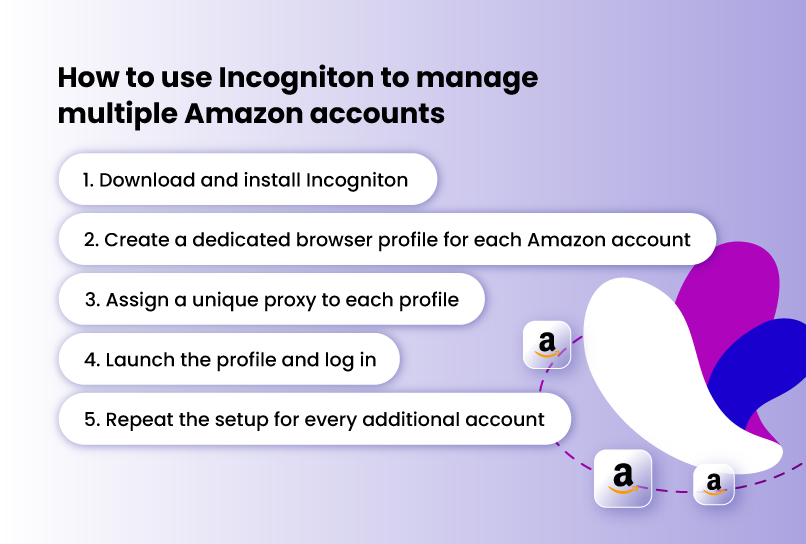
Step 1. Download and install Incogniton
Go to the official Incogniton website, download the app for your operating system, install it, and create your account.
Step 2. Create a dedicated browser profile for each Amazon account
Inside Incogniton, click “Create New Profile.”
Do this once per account. Never mix two accounts in a single profile. Each profile becomes the permanent device identity for one Amazon account.
Step 3. Assign a unique proxy to each profile
If two accounts share the same IP, Amazon can link them, even if everything else is clean. In the profile creation page, you would be prompted to assign proxies. You can add your own, buy from the ib-built proxy shop, or use the free proxies that come with the browser.
Assign one proxy per profile. Residential or ISP proxies are best.
Step 4. Launch the profile and log in
Click “Start Profile.” This opens a fully isolated browser window that belongs solely to that specific Amazon account.
Log in once. Let cookies and local storage build inside that environment. Never access this account outside its assigned profile again.
Incogniton stores all local data, so when you reopen the profile, Amazon sees the same stable device returning. That’s what prevents flags and identity mismatches.
Step 5. Repeat the setup for every additional account
Each Amazon account gets:
- its own profile
- its own proxy
- its own fingerprint
- its own environment
You can run them all at once or individually. Isolation stays intact.
Conclusion
Managing multiple Amazon accounts is not about tricking the system but about maintaining real separation between each account’s identity. Amazon’s detection systems are incredibly good at finding links across devices, IPs, and digital fingerprints, so even small overlaps can lead to account suspensions.
The only reliable way to stay safe is to create fully isolated environments for every account you operate. That is exactly what Incogniton is built for. It gives each Amazon account its own unique fingerprint, proxy, cookies, and local storage, ensuring that no traces ever cross over.
With Incogniton, you can run dozens of accounts simultaneously, each behaving like a completely independent user. For sellers managing multiple brands or teams, this means stability, compliance, and peace of mind. Instead of juggling browsers or risking bans, use Incogniton to manage your accounts the professional way, clean, secure, and entirely separate.