
Proxies are essential parts of the toolkit of a modern internet user. It is one of those tools you use to ensure security and anonymity in this data-centric digital landscape. However, the world of proxies can be confusing and technical, especially if you are new to it. There are different types of proxies and a lot of terminologies.
For example, you will often be asked to choose between a SOCKS and an HTTP proxy. To make a good choice, you must understand both proxy types and your use case. Learning about the differences among proxy types helps you understand how they work and how to use them effectively. You are in the right place.
In a prior article, we gave a detailed explanation of residential vs. datacenter proxies. In this article, we will explore the meaning and differences between HTTP proxies and SOCKS proxies. Before we get started, let's talk a little bit about why we use proxies.
Why do we use proxies?
These protocols enable data exchange between you and internet servers. One of them is the Internet Protocol, which gives your device an IP address. Your IP address identifies you and aids in data exchange. You should be curious about what your IP address says about you. It reveals just enough to get the job done and jeopardize your privacy.
Therefore, these data privacy issues are one big reason proxy servers are used. Proxy servers are an excellent way to facilitate access to any website or page via your browser and yet keep your data anonymous and secure.
There are also technical reasons. The way proxies work makes them excellent tools for bypassing content filters, firewalls, and geolocation restrictions. The servers are independent of the users. Therefore, location-based restrictions are ineffective if a user uses proxies. Now that we have a general sense of why we use a proxy, let’s discuss a specific type, the SOCKS proxy.
What Are SOCKS Proxies?
SOCKS proxies operate on a network communication protocol called SOCKS, short for SOCKetS. This protocol allows a user behind a firewall to establish a TCP connection with a destination server. In essence, it facilitates the exchange of data packets between a server and client (the user).
SOCKS is designed to route any type of traffic generated by any protocol or program. Thus, SOCKS is quite versatile, making it the go-to solution for processes like streaming and peer-to-peer sharing. It is also the answer for programs that don't support proxies directly, since the operating system or a helper tool can push their traffic through a SOCKS proxy without the program knowing. SOCKS proxies conventionally listen on port 1080.
The SOCKS protocol is designed in a way that its proxy server does not read the data packets exchanged between the user and server. It doesn't try to understand the data. It just sends and receives. This is a strength and also the Achilles heel of SOCKS proxies. SOCKS has evolved from the original protocol to SOCKS4 and the most recent version, SOCKS5.
What is SOCKS5?
SOCKS5 is the more advanced version of the SOCKS protocol. It fixes the main shortcomings of SOCKS4, most importantly by adding authentication, so a proxy can be locked to its paying users instead of being open to anyone who finds the address.
SOCKS5 vs. SOCKS4
The main differences between the two versions of the SOCKS protocol are as follows.
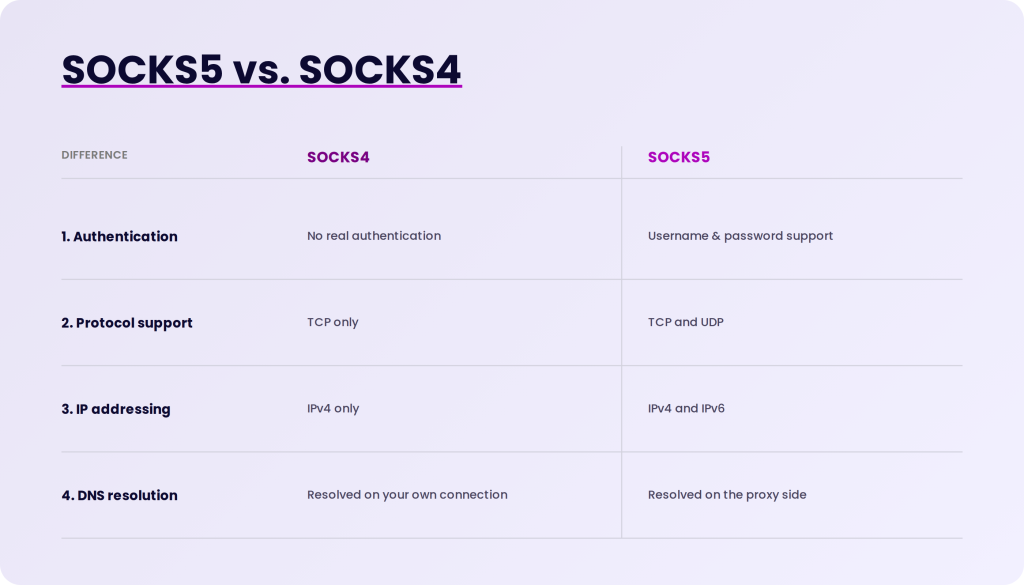
- SOCKS5 supports username and password authentication, while SOCKS4 has no real authentication.
- SOCKS5 supports UDP as well as TCP. SOCKS4 is TCP only.
- SOCKS5 supports IPv6 addresses. SOCKS4 only understands IPv4.
- SOCKS5 can resolve domain names on the proxy side, so your DNS lookups don't leak from your own connection. SOCKS4 cannot.
One thing SOCKS5 does not do is encrypt your traffic. Neither version does. If the data you send is unencrypted, it stays unencrypted through the proxy, so pair SOCKS5 with HTTPS or another encrypted protocol when privacy matters.
The terms "SOCKS" and "SOCKS5" are commonly used interchangeably. Because the SOCKS5 version is more popular and feature-complete, it's common to omit the "5" entirely when discussing SOCKS. Our next stop is HTTP proxies.
What Are HTTP Proxies?
A large part of the internet, including the one you use, operates using Hypertext Transfer Protocol (HTTP). HTTP Proxies operate on this popular protocol, so they are used more than SOCKS proxies. They also cache or filter content and collect data via web browsers.
An HTTP proxy is designed to do one thing exceptionally well, and that is transmit HTTP data. Most free proxy services you see on proxy lists across the internet are HTTP proxies. They’re easy to set up and often don’t require authentication. However, you must know that free proxies have their risks and limits.
An HTTP proxy, like a SOCKS proxy, can be used to make TCP connections when the clients are within a firewall. However, unlike SOCKS proxies, HTTP proxies understand and interpret the network traffic between the client and server, because that traffic is in the HTTP protocol they speak.
HTTP proxies also handle HTTPS traffic. For an HTTPS site, the proxy opens a tunnel to the destination and passes the encrypted data through without reading it, so the proxy knows which site you visited but not what you sent. Some providers also encrypt the connection between you and the proxy itself, which stops third parties such as your internet service provider from seeing that hop.
Differences Between SOCKS and HTTP Proxies
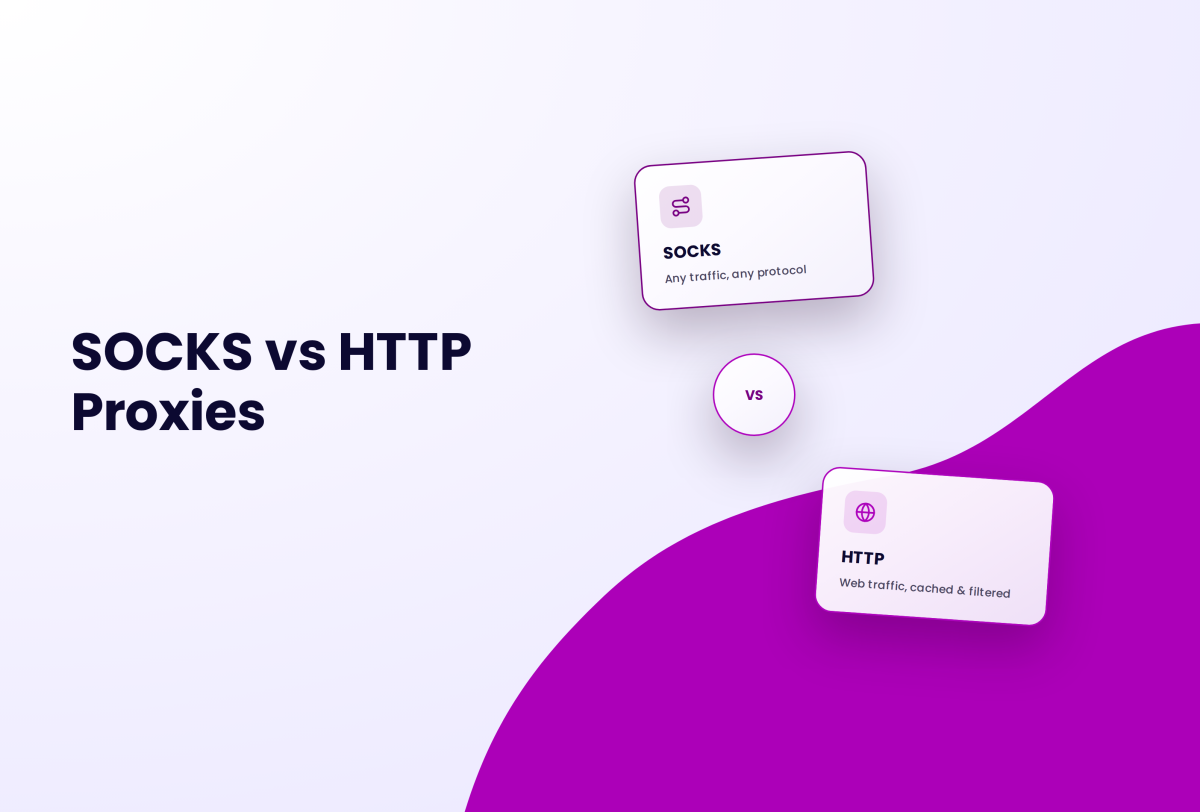
One significant difference between both types of proxy is that SOCKS proxies are general-purpose proxies while HTTP proxies are specific-use proxies. Other ways in which they differ from each other are discussed below.
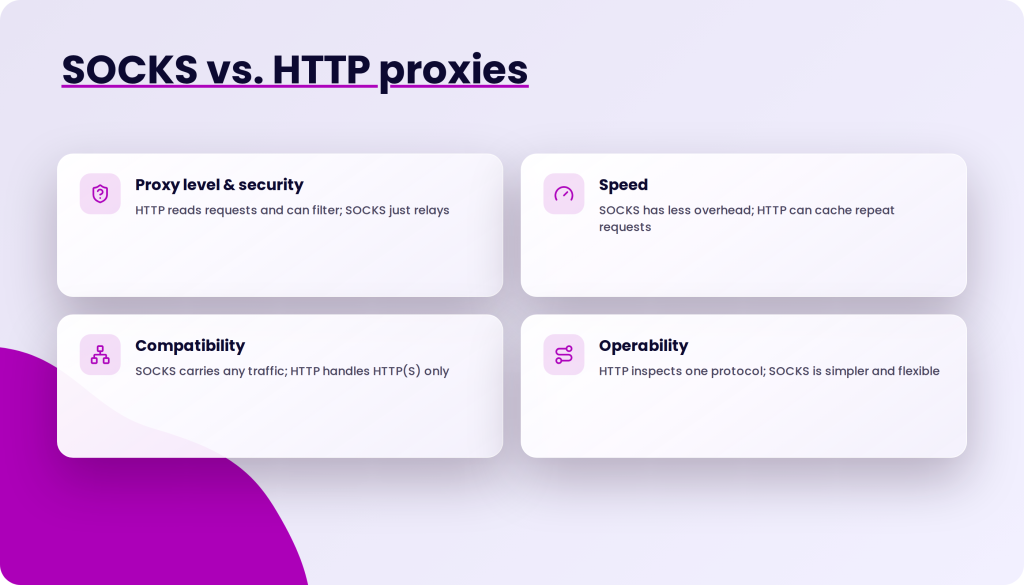
Proxy level and security
HTTP is considered a higher-level proxy since it operates at the application layer, where it can read the requests passing through it. That lets it add a layer of security between the client and the server. It can inspect headers, block requests to known bad domains, and strip suspicious content.
SOCKS doesn’t interpret network traffic. It works one level down, at the transport layer, and simply relays whatever the client sends. That is why it can carry any protocol, and also why it cannot filter anything. Neither protocol encrypts your data by itself. With an HTTP proxy, plain HTTP traffic is readable by the proxy operator, and with SOCKS the same is true of any unencrypted protocol. Encryption comes from the application, such as HTTPS in your browser, not from the proxy.
Because an HTTP proxy understands the requests, it can recognize repeated ones and cache the replies, which speeds up pages many users fetch. SOCKS cannot cache because it never looks inside the data.
Either proxy type only changes your IP address. Websites also look at your browser fingerprint, cookies, and time zone, and an anti-detect browser like Incogniton masks those parameters too, so the proxy's IP and the browser's identity tell the same story.
Speed
SOCKS proxies have slightly less overhead than HTTP proxies because they do not parse or rewrite the traffic. They just forward it. SOCKS5's UDP support also helps for real-time traffic like video streaming and gaming, where dropping a late packet beats waiting for it. HTTP proxies can be faster for ordinary web browsing when caching kicks in, since a cached page never leaves the proxy.
In practice, the server matters more than the protocol. Public proxies are usually overloaded and hence slower. Shared proxies are faster because they have fewer users, and private proxies provide the maximum speed.
Compatibility
HTTP proxies only handle HTTP and HTTPS traffic, which covers web browsing and most APIs but not email, torrents, or game traffic. SOCKS proxies handle any TCP or UDP traffic, so they work for all of those. SOCKS proxies conventionally listen on port 1080 and HTTP proxies on ports like 8080 or 3128, but either type can run on any port the operator chooses.
On the tooling side, more software supports HTTP proxies out of the box. Most web browsers, operating systems, and scraping libraries can be configured for either, but a program has to be SOCKS-aware to use a SOCKS proxy directly. Programs that aren't can still be routed through one with a helper tool.
Operability
HTTP proxies have a disadvantage in that they work only on one protocol, although it has numerous use cases. In exchange, they can inspect and process the traffic, which is what makes caching and filtering possible. SOCKS proxies, on the other hand, are simpler. They work with many protocols and usage options, so they can be more flexible. Their edge over other kinds of proxies is that they can carry connections through a firewall for programs that have no proxy support of their own.
Which One Is Right For You?
When configuring an internet proxy, you may notice a plethora of options. For example, when configuring a proxy server in a web browser, you can select between a standard HTTP(S) proxy and a SOCKS5 proxy. Apart from the standard functionality of adding a security layer and providing anonymity, choosing between SOCKS and an HTTP proxy is primarily determined by what you require from a proxy.
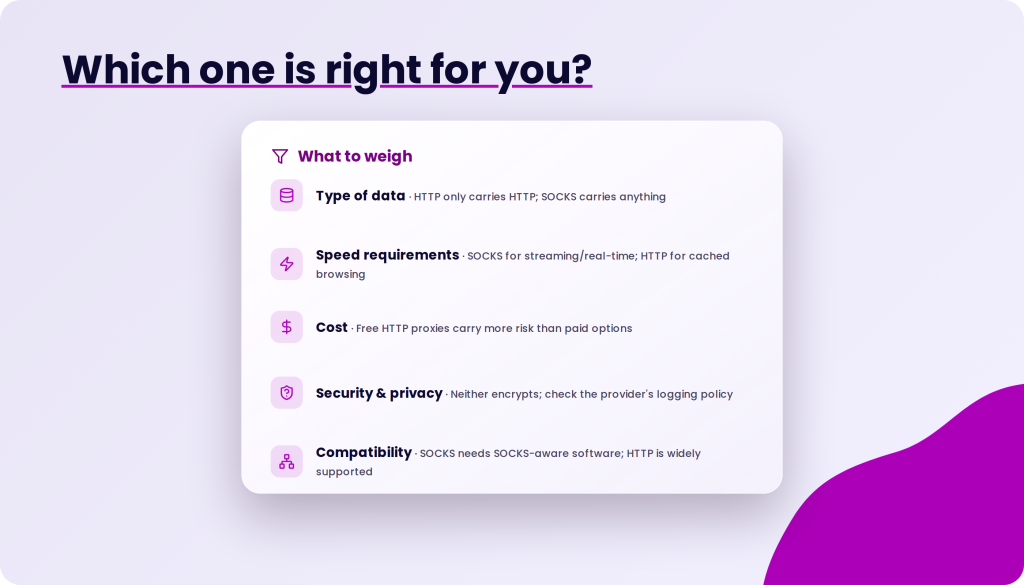
If you are behind a restrictive firewall, SOCKS connections are your best bet to get non-web traffic through it. When choosing a proxy, you should consider the following factors.
- Type of data: You can only use HTTP if your data is also HTTP. Thus, you will encounter problems if you want to transfer information over UDP, POP3, or other non-HTTP protocols. However, you can carry any kind of data over a SOCKS connection.
- Speed requirements: HTTP proxies can serve repeated web requests from cache, which makes them fast for browsing. SOCKS proxies add less overhead per connection and support UDP, which suits streaming and other real-time traffic.
- Cost: Many HTTP/HTTPS proxies are available for free. You already know that there is danger involved with using free proxies because you do not know who is running the service. You could be exposed to viruses or malware, and some servers maintain a user log that records your usage.
- Security and privacy: Neither protocol logs or refuses to log by design. Whether your usage is recorded depends on the provider, so read the logging policy before you buy. What SOCKS5 does give you is remote DNS resolution, so your lookups don't leak from your own connection, and what HTTP proxies give you is the ability to filter content on the way through.
- Compatibility: SOCKS lets you proxy any application because it supports both TCP and UDP. Although HTTP proxies are limited to HTTP data, they are supported by a wider range of popular tools out of the box.
Regarding SOCKS vs. HTTP proxies, the superior argument depends on your purpose. These two are good and provide good layers of security and anonymity, essentially what a proxy does. However, if you are considering other online uses, take the time to choose what suits you best. You should now be familiar with the advantages and disadvantages of each protocol. Take advantage of this knowledge to get the most out of your chosen proxy.