


As advertising volume grows, a media buyer has to manage more than creatives. More ad accounts, GEOs, and budgets also mean more payment methods, browser profiles, and network configurations to keep organized.
Virtual cards help separate advertising expenses and manage budgets, while an antidetect browser helps organize work with multiple browser profiles. Proxies complement this setup on the network side.
Together, these tools make it possible to build a clearer structure for launching and scaling advertising campaigns.
Why Media Buyers Use Virtual Cards
For a small advertising volume, one payment method may be enough. But as the number of campaigns grows, this approach becomes less convenient for tracking expenses.
Virtual cards make it possible to separate payments between:
- ad accounts;
- GEOs;
- projects and offers;
- test and main campaigns;
- individual teams or buyers.
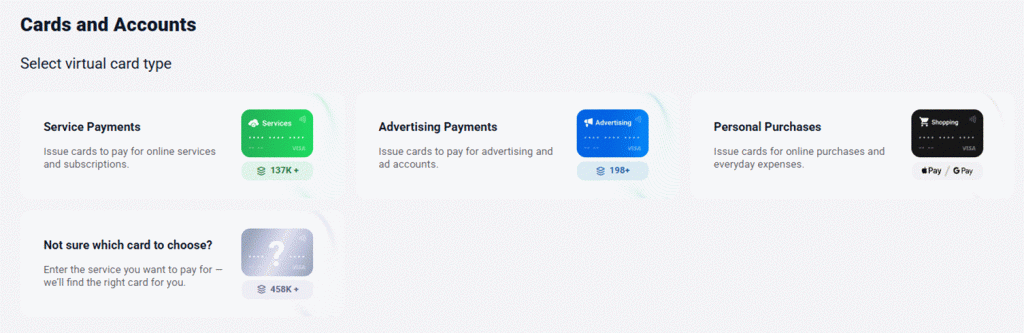
For example, you can assign a card to a specific offer and set its spending limit in advance. That gives the buyer a direct link between the payment method, budget, and campaign when reviewing expenses.
This is especially relevant when working with Facebook Ads, Google Ads, and TikTok Ads, where the advertising budget can quickly increase once a working setup is found.
When choosing a card for advertising expenses, it is important to consider more than just the issuance cost. Supported platforms and GEOs, fees, limits, funding conditions, and the ability to manage multiple cards also matter.
Pay2.House for Advertising Expenses
For this type of setup, you can use Pay2.House - a virtual card service for advertising and online services.
Separate cards make it possible to divide the budgets of different projects and avoid mixing payments within one system.
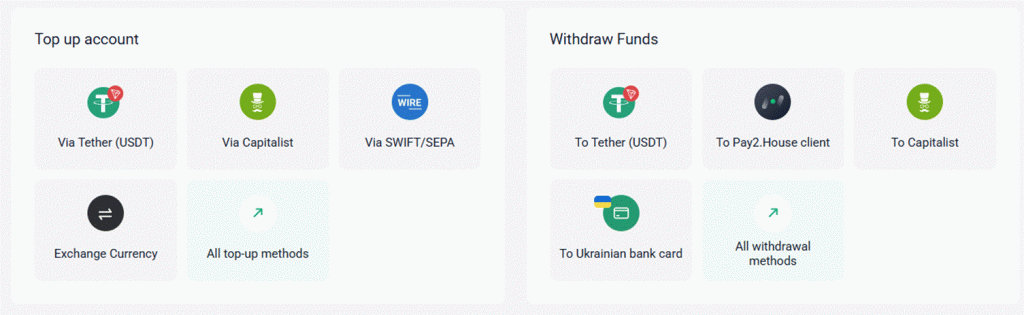
The basic structure looks like this:
ad account → virtual card → budget → campaign
As the volume grows, the payment infrastructure can be expanded together with the number of projects and active ad accounts.
Before launching, it is also important to check the requirements of the specific advertising platform, as well as applicable fees and available limits. A virtual card itself does not override the platform's requirements for an account or payment method.
Anti-detect as Part of a Media Buyer's Infrastructure
Virtual cards organize the payment layer, but they don't organize the browser environment used to manage multiple ad accounts.
An antidetect browser makes it possible to separate working environments and store data for different accounts in individual profiles. This is useful when working with multiple projects and GEOs.
For example, Incogniton allows users to create separate browser profiles and connect proxies to them.
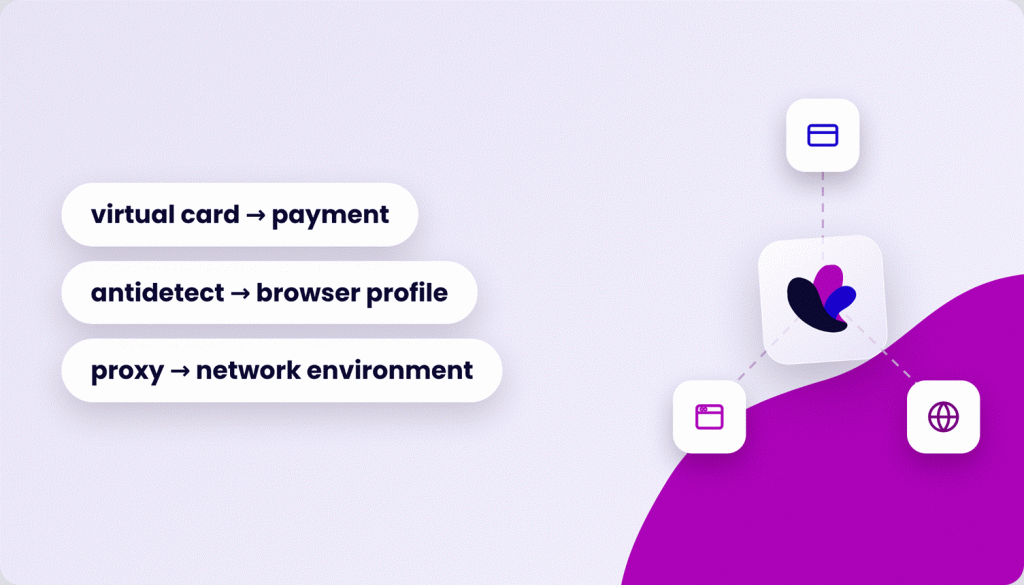
In this setup, each tool has its own role:
virtual card → payment
antidetect → browser profile
proxy → network environment
This approach makes it easier to manage workflows as the number of accounts increases.
Virtual Cards + Antidetect: How to Build a Working Setup
When working with a large number of accounts, it is useful to link the profile, ad account, and payment method in advance.
For example:
Profile 01 → Ad Account 01 → Card 01
Profile 02 → Ad Account 02 → Card 02
This structure isn't mandatory, but it creates a consistent mapping between the browser profile, ad account, and payment method. A buyer can see which setup belongs to a specific campaign without checking several systems.
For a team, this also reduces the chance of mixing up budgets or data from different projects.
At the same time, virtual cards and antidetect do not guarantee that accounts will not be restricted. Advertising accounts must be operated in accordance with the rules of the specific platform.
Why Infrastructure Should Be Prepared in Advance
A common mistake is to first find a working setup and only then think about how to pay for the increased advertising volume.
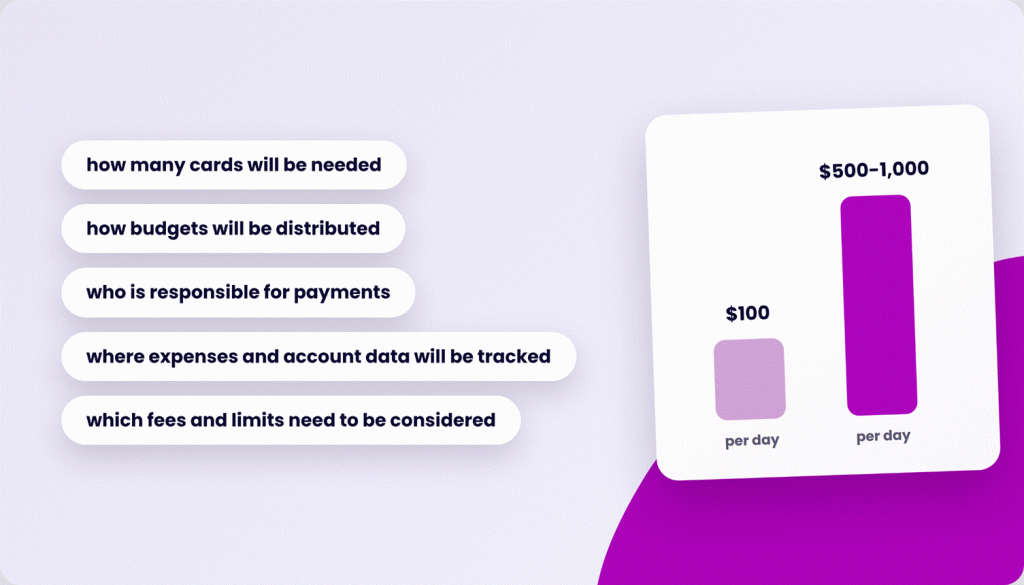
Suppose a campaign performs well with a budget of $100 per day. After scaling, expenses grow to $500-1,000 per day. As the budget increases, so does the workload on the payment system, along with the number of accounts and working profiles.
If the infrastructure is not prepared in advance, payments and tracking can become an operational limitation.
Before scaling, it is therefore worth defining:
- how many cards will be needed;
- how budgets will be distributed;
- who is responsible for payments;
- where expenses and account data will be tracked;
- which fees and limits need to be considered;
- how profiles and accounts will be organized.
This way, increasing the volume does not require rebuilding the entire system from scratch each time.
How to Organize the Setup Without Unnecessary Confusion
As the number of accounts grows, the simple "profile → account → card" structure may not be enough. It is important to define tracking rules for each element in advance.
For each profile, you can record the advertising platform, GEO, linked account, payment card, and assigned budget. A spreadsheet may be enough for a small team, while a CRM or internal dashboard can be more convenient for a larger number of projects.
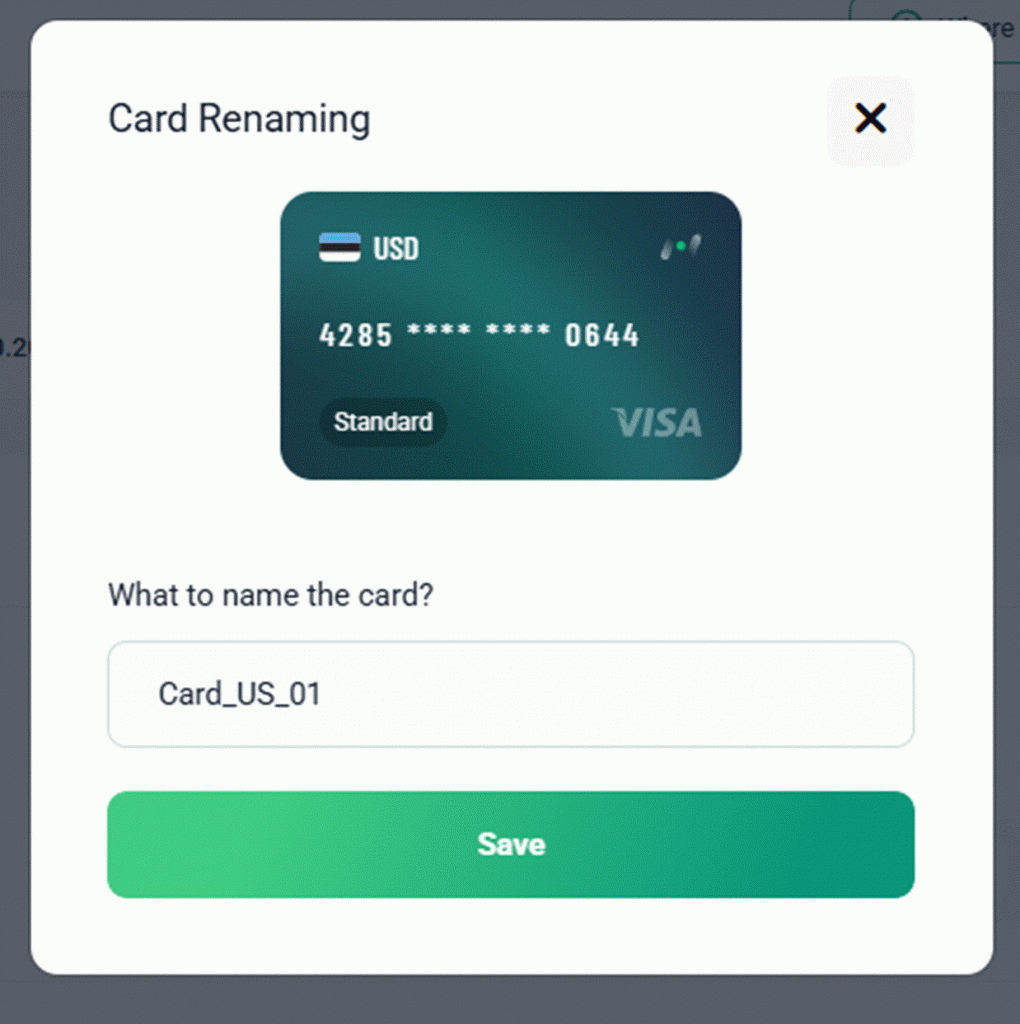
Naming also deserves attention. If profiles, cards, and ad accounts are named randomly, it is easy to make mistakes when working with dozens of active items.
For example:
Meta_US_01 → Card_US_01 → Profile_01
This system makes it easier to find the required data and understand which project it belongs to.
How to Separate Budgets
If one card is used for a large number of independent projects, it becomes harder to track the expenses of each direction. If there is a payment issue, several campaigns may also need to be checked at once.
Therefore, where possible, it is better to separate budgets at least by major projects or offers. For test campaigns, you can set a separate limit in advance and increase the budget after confirming a working setup.
At the same time, it is not necessary to create a separate card for every small transaction. Having too many payment instruments can also make management more complicated.
The optimal structure depends on the advertising volume, number of projects, team size, and requirements of the specific advertising platform.
What to Check Before Scaling
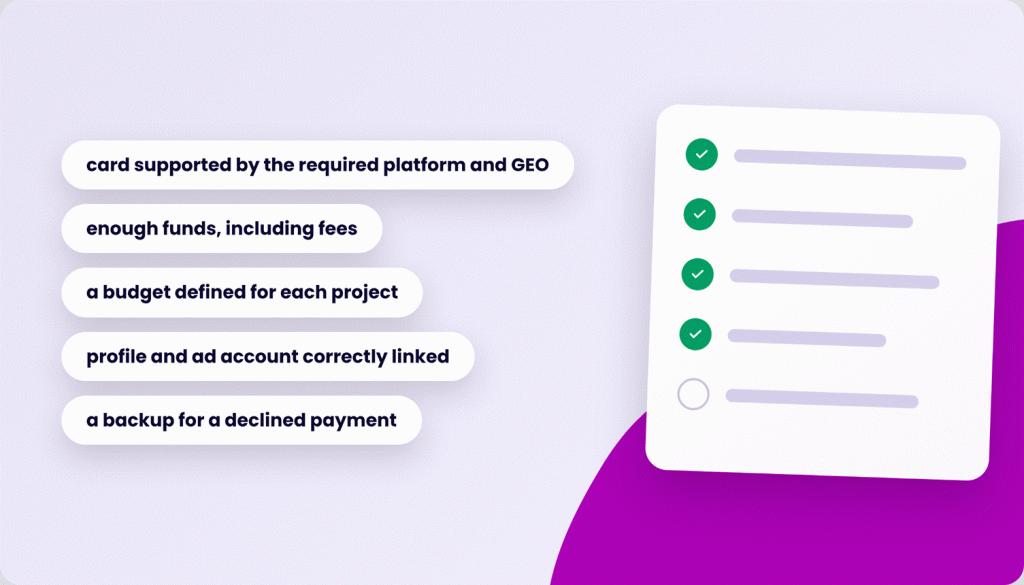
Before increasing the advertising budget, it is worth checking several key points:
- the card is supported by the required advertising platform and is suitable for the relevant GEO;
- there are enough funds on the balance, including applicable fees;
- a budget has been defined for each project;
- the profile and ad account are correctly linked;
- proxies and the browser environment are configured in advance;
- it is clear who is responsible for the specific account and payments;
- the team understands the rules for working with cards and profiles;
- there is a backup option in case of a declined payment or technical issue.
It is also important to remember that advertising platforms independently determine their payment rules, account verification procedures, and restrictions. Neither a virtual card nor an antidetect browser overrides these requirements.
Scaling Should Be Prepared Before Expenses Grow
A prepared infrastructure makes it possible to add new projects without completely rebuilding the workflow.
For example, for a new offer, you can create a separate profile, link it to the ad account, assign a payment method, and set a budget. After that, the buyer does not have to search for which data belongs to a specific campaign every time.
This structure is especially useful for teams. When several buyers launch advertising simultaneously, a consistent tracking system makes it easier to find the required data and control expenses.
As a result, virtual cards, antidetect, and proxies become part of the overall media buying operating system, with each tool responsible for its own task.
What the Virtual Card + Antidetect Setup Provides
The main value of this model is the separation of tasks.
Virtual cards help organize payments and budgets. Antidetect simplifies work with browser profiles. Proxies complement the network side.
For a media buyer, the working structure looks like this:
profile → account → card → budget → campaign
As the number of projects grows, this structure helps control expenses, find the required data faster, and distribute responsibilities within the team.
Conclusion
Virtual cards + antidetect are a practical combination for media buying when work goes beyond a single project or a few small campaigns.
Cards make it possible to separate budgets and organize advertising payments, while antidetect helps manage browser profiles and proxies complement the network environment.
For a media buyer, the logic remains simple: separate payments, accounts, and budgets so that every element can be easily controlled as the operation scales.


