
Boasting the highest social media engagement rate in the world, TikTok reigns supreme as a platform for entertainment, creativity, and connection. Its vast user base of 1.7Bn and quick-take content format make it a breeding ground for ever-evolving trends, and opportunities for brands, influencers, and individuals alike.
But for those who want to explore multiple facets of the platform, managing multiple TikTok accounts can be a daunting task.
Navigating between different profiles, juggling content creation, and staying engaged with various communities is time-consuming and overwhelming for most. This is where Incogniton is revolutionizing how you manage and interact with your multiple TikTok accounts.
Why People Manage Multiple TikTok Accounts (& Why You Should Too)
If you’re only managing one TikTok account, you might be missing out on major opportunities. Whether you’re a social media manager, brand strategist, or content creator, running multiple accounts can give you more control, flexibility, and security. Here’s why you should start today.
1. Protect Against Shadowbans and Account Restrictions
TikTok’s algorithm can be unpredictable. Shadowbans, content violations, or sudden policy changes can limit your reach or even get your account suspended. Having a secondary account ensures that:
- Your content strategy isn’t entirely dependent on one profile.
- You can test potentially risky content without affecting your primary account.
- You stay visible even if one account faces restrictions.
2. Target Different Audiences More Effectively
Not every audience responds to the same type of content. With multiple accounts, you can:
- Separate content based on region, interests, or demographics.
- Maintain a distinct brand identity across different product lines or services.
- Engage niche communities without diluting your main brand message.
3. Optimize Your Content Strategy Through A/B Testing
Running multiple accounts allows you to experiment with different content strategies before rolling them out on a larger scale. You can:
- Test different hashtags, posting schedules, and content styles.
- Compare engagement metrics across accounts to determine what works best.
- Fine-tune your approach without risking your main account’s performance.
4. Enhance Brand Growth and Monetization Opportunities
If you’re managing a brand or multiple clients, separate accounts help streamline your efforts.
- Example: Many businesses operate a main brand account, a customer service account, and a region-specific account.
- Creators & Influencers: Many have backup accounts for collaborations, niche content, or experimental trends.
How to Create & Switch Between Multiple TikTok Accounts
TikTok allows users to create and manage up to six accounts on one device. If you need more, using multiple devices or virtual browsers becomes necessary.
Creating a Second TikTok Account
- Open the TikTok app and tap on your profile icon.
- Click the drop-down arrow next to your username.
- Select “Add account” and follow the sign-up process.
- You can register using an email, phone number, or third-party login like Google or Facebook.
Switching Between TikTok Accounts
- Go to your profile page and long press your username at the top.
- Select the account you want to switch to.
- TikTok will load the new account instantly.
How Incogniton Helps Manage Multiple Tiktok Accounts
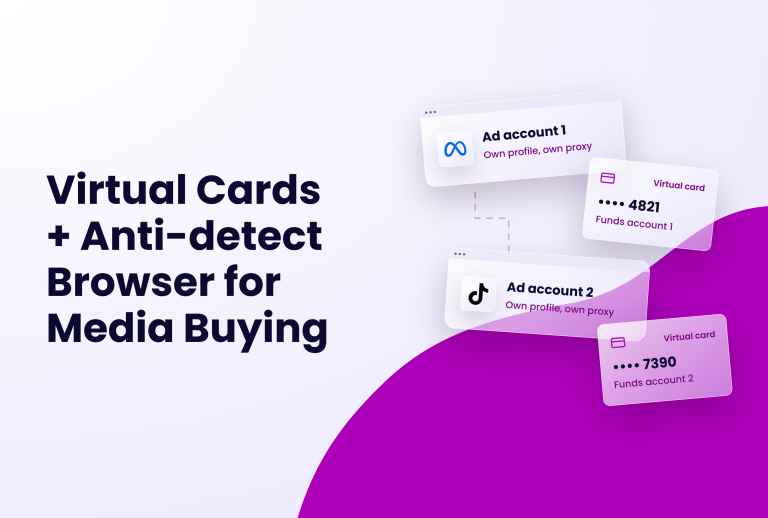
Using too many accounts on the same device can raise red flags and trigger security measures like verification requests, shadowbans, or even account suspension. And if you are managing business or client accounts, you definitely dont want that.
Benefits of Using Incogniton for Managing Multiple TikTok Accounts

Managing multiple TikTok accounts can be like juggling multiple balls in the air. It requires constant attention, meticulous organization, and the ability to switch gears rapidly. But Incogniton elevates this juggling act to a whole new level, transforming it into a seamless and highly productive experience. Here's how:
1. Say Goodbye to Shadowbans and Suspensions
One of the biggest concerns for multi-account users is the risk of shadowbans and account suspensions.
TikTok's algorithms are notoriously vigilant, and any suspicious activity can trigger a ban.
Incogniton, with its sophisticated anti-detect features, effectively masks your identity and prevents TikTok from linking your different accounts. This significantly reduces the risk of bans and allows you to manage your accounts worry-free.
2. Manage Multiple Accounts Efficiently
Incogniton streamlines your workflow and saves you precious time and effort. With features like simultaneous logins, quick switching between accounts, and dedicated profiles for each account, you can easily manage multiple accounts and stay on top of your content calendar.
Incogniton is packed with automation tools like Puppeteer which allows you to automate repetitive actions and free up your time to focus on creative endeavors and strategic planning.
3. Increased Security and Privacy
From masking your IP address and location with proxy integration to managing your cookies and preventing unauthorized screenshots and recordings, Incogniton ensures your online identity and sensitive information remain protected.
4. Unlocking Collaboration Potential
For agencies, teams, and businesses managing multiple accounts, Incogniton unlocks new levels of collaboration. Its team collaboration features allow you to assign roles, share accounts, and work together seamlessly on projects. This streamlines your workflow, improves communication, and empowers you to achieve more as a team.
Getting Started with Incogniton
Ready to embark on your multi-account management adventure with Incogniton? Here's a step-by-step guide to get you started:
Step 1. Download and Install Incogniton
Visit the official Incogniton website and download the browser for your operating system. The installation process is straightforward and user-friendly, taking only a few minutes to complete.
Step 2. Create Your User Profiles
Once you have installed Incogniton, you can create a new profile by clicking on the "New Profile" button. You can then customize the profile by selecting the geolocation, browser type, and other parameters.
Step 3. Add and Configure Proxy
For enhanced anonymity and security, consider integrating Incogniton with a proxy service. This will mask your IP address and location, further safeguarding your privacy and making it virtually impossible to track your online activities.
Creating a new browser profile and attaching a proxy in Incogniton.
Step 4. Link Your TikTok Accounts
Once you've created your user profiles and set up your proxy services, it's time to link your TikTok accounts. This process is simple and intuitive, requiring you to log in to each account within its respective profile.
Step 5. Start Managing Your Accounts
With everything set up, you're now ready to manage your multiple TikTok accounts efficiently. Incogniton's intuitive interface allows you to switch between accounts seamlessly, schedule posts, track your progress, and collaborate with others effortlessly.
By following these steps and embracing the resources available, you'll be well on your way to mastering multi-account management with Incogniton. Remember, the journey to success starts with taking the first step, so download Incogniton today and unlock a world of possibilities on TikTok.
Using Incogniton: A Practical Guide to Multi-Account Management on TikTok
Now that you're familiar with Incogniton and its features, let's delve deeper into its practical use for managing your multiple TikTok accounts.
Navigating TikTok with Incogniton
Once you've launched Incogniton and chosen your desired user profile, navigating TikTok within the browser is just like using any other browser. Simply enter the TikTok website address or open the app through Incogniton, and you'll be taken to your account's home feed.
Uploading Content and Interacting with Users
Just like on the regular TikTok app, you can upload videos, edit them with the built-in tools, and add captions, music, and effects. You can also like other users' videos, leave comments, participate in live streams, and send messages directly within Incogniton.
Managing Account Settings
Incogniton allows you to access and manage all your account settings within the browser. This includes editing your profile information, changing your privacy settings, managing notifications, and viewing your analytics.
Best Practices for Safe and Secure Multi-Account Management with Incogniton
Incogniton empowers you to manage multiple TikTok accounts efficiently and securely. However, it's crucial to remember that online safety is a collaborative effort. To maximize your Incogniton experience and protect yourself while enjoying the benefits of multi-account management, follow these best practices:
Use A Content Calendar
Developing and maintaining a content calendar is crucial for managing multiple social media accounts effectively. For a platform like TikTok that operates solely with video format, it is more than necessary you use one.
Plan your content in advance; it helps you ensure a consistent flow of engaging material across all your accounts. This helps avoid last-minute scrambling and ensures you're always prepared with fresh content.
Be Adaptable
Be prepared to adapt your approach based on changing platform regulations, audience preferences, and industry trends. Regularly review your content strategy, analyze your performance metrics, and adjust your tactics accordingly.
Incogniton's data analysis dashboards provide valuable insights to help you identify areas for improvement and optimize your multi-account management strategy.
Leverage Automation Tools
Automation tools allow you to do away with the burden of carrying out repetitive tasks and free up time for you to do the more rewarding but tedious tasks like content creation. These tools can also help you reduce the risk of human errors and improve the efficiency of your workflow.
However, you have to be careful with the way you use them so that Tiktok does not register your account as spammy or a bot account.
Follow TikTok's Community Guidelines
TikTok has established community guidelines to ensure a safe and enjoyable platform for everyone. Familiarize yourself with these guidelines and adhere to them while managing your accounts. Violating community guidelines can lead to account suspension or even deletion, jeopardizing your multi-account strategy.
In addition to the tips we have discussed above, here are some more you already know about but might just need a little reminder.
- Maintain strong passwords for all your accounts.
- Avoid using public Wi-Fi networks for sensitive activities
- Update your Incogniton browser regularly to ensure you have the latest security patches
- Be mindful of the information you share online.
By following these guidelines, you can maximize your Incogniton experience and enjoy the benefits of multi-account management on TikTok without compromising your security or privacy.
Conclusion
With Incogniton as your trusted companion, managing multiple TikTok accounts becomes less daunting and more rewarding. Its comprehensive features and intuitive interface empower you to work smarter, not harder, unlocking a world of possibilities and maximizing your impact on the platform.
You can say goodbye to the days of juggling multiple devices, logging in and out constantly, and feeling restricted by the platform's limitations.
Take the first step towards Tiktok multi-account mastery today. Download Incogniton and embark on a journey of endless possibilities.