
If you're comparing anti-detect browsers, then you've probably already hit a wall: a banned account, a flagged profile, or a platform that keeps linking your activity no matter how many precautions you take. And as you've most likely gathered, the problem isn't your VPN. It's browser fingerprinting, and fixing it requires a different tool entirely.
Anti-detect browsers let you create multiple isolated browser profiles, each with its own unique digital fingerprint, so platforms see completely separate users instead of one device cycling through accounts.
But as expected, anti-detect browsers aren’t built to the same standards. However, the wrong choice here will cost you time, money, or even your accounts.
This guide compares the leading options, evaluating ease of use, features, pricing, and intended users, so you can choose the right fit whether you're a beginner or operating at a larger, more advanced scale.
Understanding the Spectrum: Beginners vs. Advanced Users
The effectiveness of an anti-detect browser isn't just about its underlying technology; it's also about how well it aligns with the user's technical expertise and operational needs. Broadly, users can be categorised into two groups:
- Beginners: These users typically prioritise ease of use, intuitive interfaces, and automated solutions. They may not have deep technical knowledge of browser fingerprinting and prefer a "set it and forget it" approach that still offers robust protection. Their primary goal is to use the tool for whatever their purpose with minimal technical complexity.
- Advanced Users: This group includes developers, experienced marketers, and cybersecurity professionals who require granular control over every aspect of their digital identity. They are comfortable with complex configurations, APIs, and scripting. They often need to fine-tune browser fingerprints, integrate automation, and adapt setups for specialised or large-scale use cases.
When assessing anti-detect browsers, several core features determine suitability across this spectrum: anti-fingerprinting strength, ease of use, automation capabilities, collaboration tools, and overall pricing value. Each of these elements shapes how effectively a browser meets different user needs—from seamless plug-and-play setups to highly customised professional environments.
We break down these features in detail in a previous article. You should check out the article.
Top Anti-Detect Browsers for Beginners: Simplicity and Effectiveness
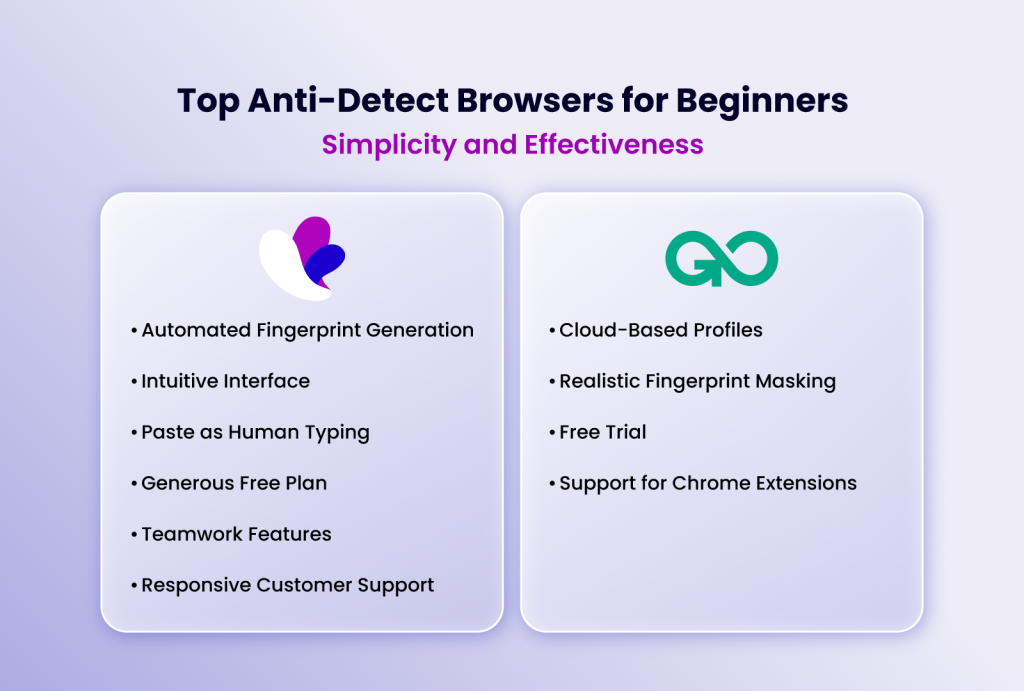
For those new to the world of anti-detect browsers, the key is to find a tool that offers powerful protection without a steep learning curve. These browsers should provide a user-friendly interface, sensible defaults, and helpful guidance.
1. Incogniton: The All-Rounder for Ease of Use
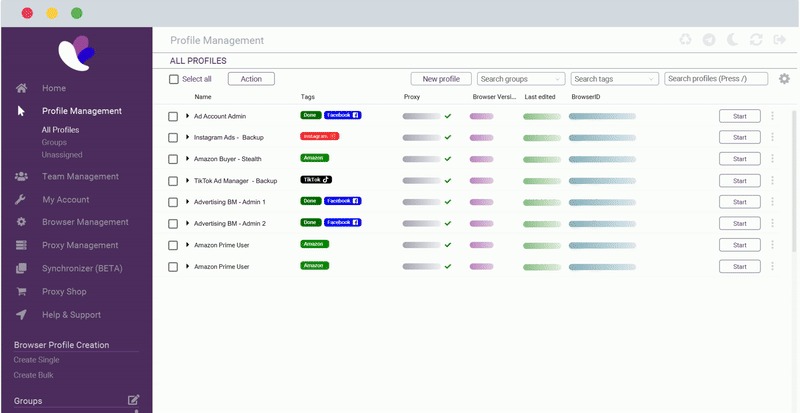
Incogniton consistently emerges as a top choice for beginners due to its remarkable balance of advanced features and user-friendliness. Developed with a focus on accessibility, Incogniton offers a clean, intuitive dashboard that makes profile creation, management, and switching remarkably straightforward.
Key Features for Beginners:
Automated Fingerprint Generation: Incogniton's in-house algorithm automatically generates realistic and unique browser fingerprints for each profile. This means beginners don't need to manually tweak complex settings; the browser handles the heavy lifting of spoofing essential variables like user-agent, WebRTC, timezone, and geolocation.
Intuitive Interface: The dashboard is well-organised, displaying essential profile information at a glance. Creating new profiles, assigning proxies, and managing cookies are all accessible through simple clicks.
"Paste as Human Typing": This feature mimics natural typing speeds when pasting text, reducing the risk of detection associated with rapid copy-pasting.
Generous Free Plan: Incogniton offers a free tier that allows users to create up to 10 browser profiles for a limited time, providing ample opportunity to test its capabilities without financial commitment.
Teamwork Features: Incogniton offers robust collaboration tools, allowing teams to share or transfer entire browser profiles with granular access controls.
Responsive Customer Support: For those inevitable moments of confusion, Incogniton boasts highly praised customer support, ensuring beginners can get help when they need it.
Why it's great for beginners: Incogniton's strength lies in its ability to provide robust, automated anti-fingerprinting protection right out of the box. Users can quickly set up multiple isolated profiles and start managing their accounts with confidence, without getting bogged down in technical jargon. It's a solution that grows with you, offering more advanced features as your needs evolve.
2. GoLogin: A Friendly Entry Point with Growing Power

GoLogin is another strong contender for beginners, known for its flexibility and a user-friendly approach that makes it accessible for those new to anti-detect technology. While it offers more granular control for advanced users, its core functionality is designed to be intuitive.
Key Features for Beginners:
Cloud-Based Profiles: GoLogin's cloud-first approach means profiles can be accessed from any device, offering convenience for users who switch machines.
Realistic Fingerprint Masking: It provides good default fingerprint settings that effectively mask user identities for common use cases.
Free Trial: While its free plan is limited to 3 profiles, GoLogin often offers a 7-day free trial on premium plans, allowing users to explore more advanced features.
Support for Chrome Extensions: Beginners can continue using their favorite Chrome extensions within GoLogin profiles for added convenience.
Why it's great for beginners: GoLogin strikes a good balance between ease of use and the ability to explore more complex settings. Its cloud-based nature simplifies cross-device access, and the availability of trials allows users to experience its paid features before committing.
Advanced Anti-Detect Browsers: Power, Customization, and Control
For users who need to fine-tune every aspect of their digital presence, advanced anti-detect browsers offer unparalleled control and customisation. These tools are built for professionals who understand the nuances of browser fingerprinting and require the ability to craft highly specific digital identities.
1. Dolphin Anty: Deep Customisation for Professionals
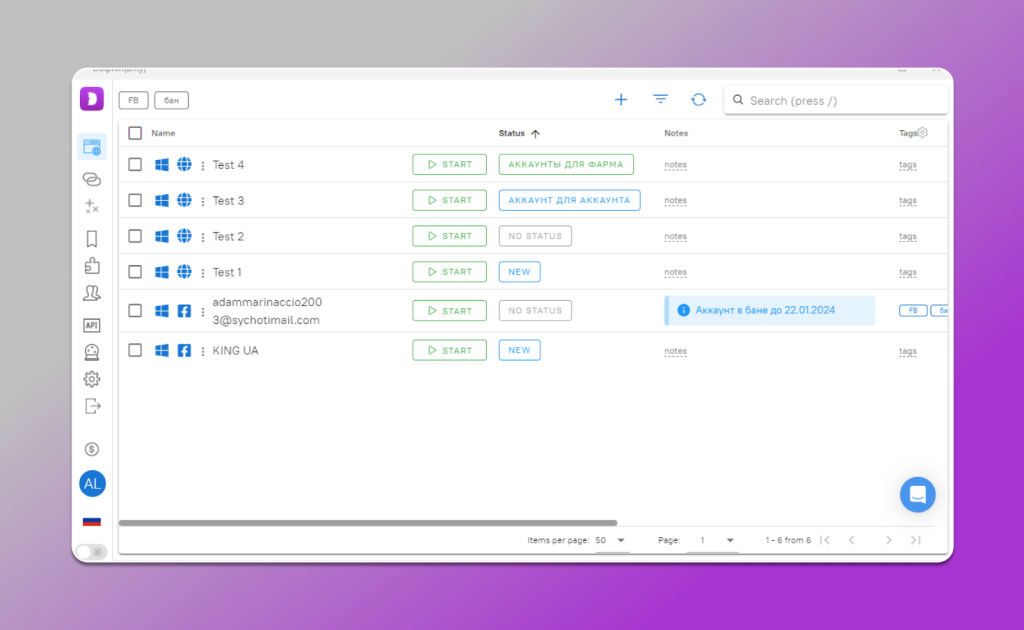
Dolphin Anty is a powerful anti-detect browser that caters to professionals and teams who require deep customization and real-world fingerprint authenticity. Its engine is seeded with actual fingerprint samples from real devices, allowing for highly believable browser profiles.
Key Features for Advanced Users:
Fine-grained Controls: Dolphin Anty exposes numerous detailed controls for platform, proxy, canvas, WebGL, memory, screen resolution, and more. This allows for precise tailoring of each browser profile.
Real-World Fingerprint Diversity: By using actual device samples, Dolphin Anty can create fingerprints that closely mimic real-world variability, offering a high level of authenticity.
Advanced Automation Tools: It includes a drag-and-drop "Scenario Builder" for no-code automation, alongside API-level integrations with Selenium and Puppeteer for complex scripting.
Why it's great for advanced users: If you need to mimic specific device types, run complex ad campaigns, or require the highest degree of fingerprint realism, Dolphin Anty's deep customization options are invaluable. It's a tool that rewards technical expertise with exceptional control.
2. Multilogin: The Gold Standard for Enterprise and Customisation
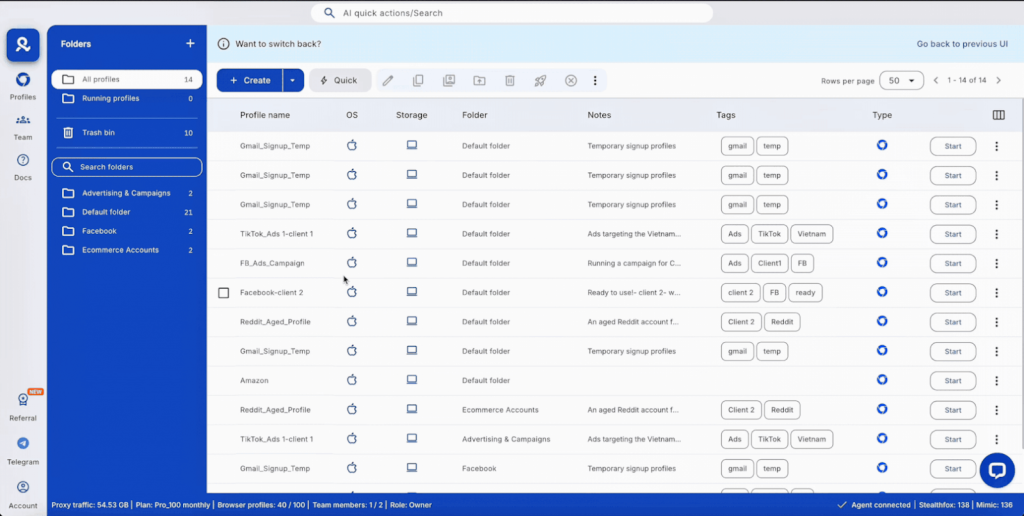
Multilogin has long been considered a benchmark in the anti-detect browser space, especially for enterprise-level users and agencies. It offers a mature technology stack with extensive customisation options that appeal to those who demand the utmost control over their digital fingerprints.
Key Features for Advanced Users:
Unrivalled Fingerprint Granularity: Multilogin allows users to adjust virtually every browser parameter, from hardware specs and fonts to WebGL and canvas fingerprints. This level of detail is crucial for advanced spoofing techniques.
Dual Browser Engines: It supports both Chromium (Mimic) and Firefox (Stealthfox) based environments, offering flexibility for different use cases and compatibility needs.
Robust API and Automation: Multilogin is built with developers in mind, offering a powerful API that integrates seamlessly with Selenium, Puppeteer, and other automation tools for large-scale projects.
Enterprise-Grade Collaboration: Its features are designed for teams, with secure profile sharing, robust access controls, and cloud-based synchronisation for distributed workflows.
Why it's great for advanced users: For professionals who need to create highly specific, undetectable browser environments, Multilogin is a powerful choice. Its depth of customisation, dual-engine support, and enterprise-ready features make it ideal for complex operations, though its pricing and learning curve are geared towards experienced users.
3. Kameleo: Mobile Fingerprinting and Flexibility
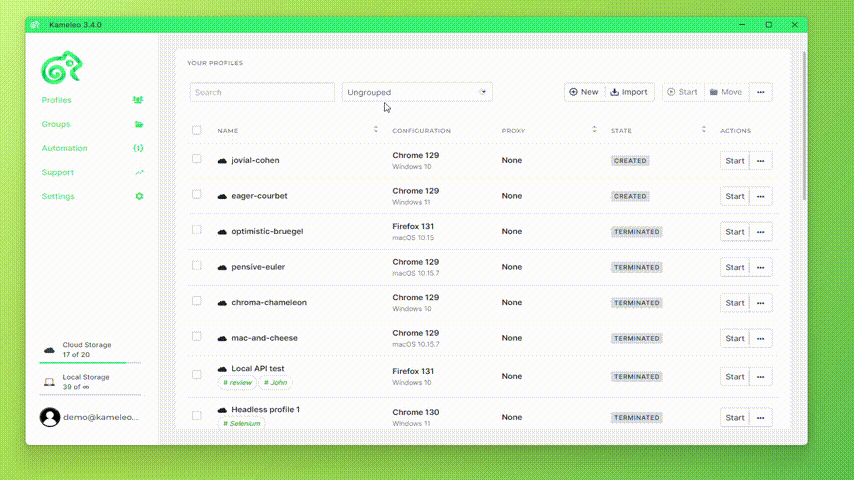
Kameleo stands out by pioneering support for mobile device fingerprinting, a feature few other anti-detect browsers offer. This makes it particularly attractive for users focused on mobile-first platforms or those needing to emulate mobile browsing behaviour.
Key Features for Advanced Users:
Mobile Fingerprint Emulation: Kameleo excels at spoofing mobile device fingerprints, including Android and iOS environments, which is critical for certain marketing and testing scenarios.
Advanced Profile Editor: It offers comprehensive control over fingerprint parameters, allowing for detailed customisation.
Automation Support: Integrates with the Selenium web driver for automation tasks.
Why it's great for advanced users: If your work heavily involves mobile platforms, app testing, or emulating mobile user behaviour, Kameleo's specialised mobile fingerprinting capabilities are a significant advantage. Its flexibility and advanced editing features cater to users who need precise control over their digital identities across different device types.
Conclusion
Choosing the right anti-detect browser depends on your technical proficiency, operational scale, and privacy priorities. For beginners, simplicity, automation, and reliable protection are key, making Incogniton and GoLogin standout options. Both provide strong anonymity and straightforward interfaces that allow users to get started quickly without extensive configuration.
As your needs evolve, or if you handle more complex workflows, you’ll find that Incogniton also scales effectively into advanced use cases. Its API support, automation compatibility with tools like Selenium and Puppeteer, and robust team collaboration features make it versatile enough for professionals managing larger projects or distributed teams.
Ultimately, the best anti-detect browser is one that balances your need for anonymity, usability, and control, and helps you maintain privacy and operational freedom across an increasingly monitored digital landscape.