
Digital advertising is a high-stakes world. You can have the most compelling creative, the most generous budget, and the most sophisticated campaign structure, but it all means nothing if your ads aren't reaching the right people.
Ad platforms report on what they served, not on what your audience actually experienced. There's a meaningful gap between "your ad ran" and "your ad reached the right person, in the right place, looking the way you designed it." Platform dashboards are built to show you delivery data. They are not built to show you whether that delivery translated into the experience you paid for.
Verifying your ad targeting isn't paranoia; it's a standard quality check. In this comprehensive guide, we will offer ideas on how to use proxies and an anti-detect browser to answer the basic question: “Are your ads being shown to the right audience?”
Why Ad Targeting Goes Wrong More Often Than You Think
If you've never caught a targeting error in your own campaigns, that's probably not because you've never had one. It's more likely because you weren't looking.
READ MORE: Mastering the Art of Bulletproof Facebook Ad Structures
Targeting failures are surprisingly common and surprisingly hard to spot from inside a platform dashboard. Geo-targeting misconfiguration is one of the most frequent culprits — a radius set to the wrong unit, a zip code entered with a typo, a city accidentally placed in the exclusion list instead of the inclusion list. These errors don't throw alerts. The campaign runs, the budget is spent, and the impressions get logged against the wrong locations.
Audience overlap is another persistent problem. Your "new customer acquisition" campaign may be spending a significant portion of its budget reaching people who already bought from you last month — because your existing customer list wasn't properly excluded, or because lookalike audiences have drifted into your retention segments.
Then there's the issue nobody likes to talk about: ad platforms optimise for delivery, and that optimisation frequently overrides your targeting parameters in favour of broader reach. The rationale is buried somewhere in the terms of service. The effect is that your carefully defined audience has quietly expanded without your input.
Platforms like Meta and Google use complex algorithms to find users who "look like" your target audience. These lookalike models can drift or become contaminated with irrelevant signals over time.
Agencies and in-house teams rarely catch any of this because they trust the platform's reporting, and the platform's reporting measures delivery, not experience. The numbers add up. The spending looks intentional. The problem is invisible.
The platform's job is to spend your budget. Verifying what you got for it is yours.
How to Verify Targeting Accuracy
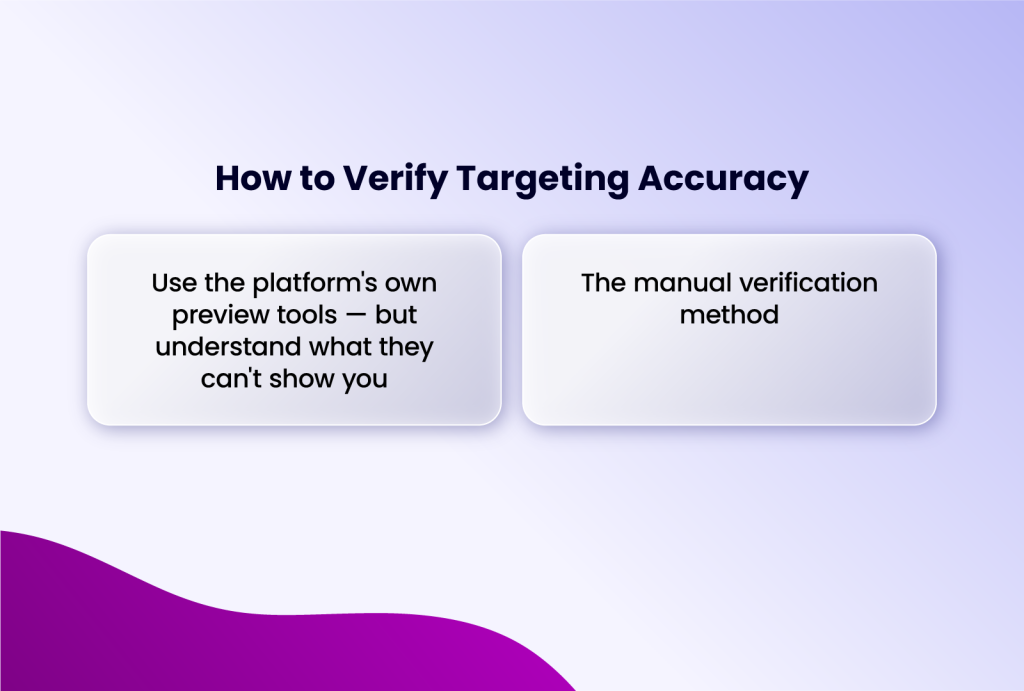
Use the platform's own preview tools — but understand what they can't show you
Most ad platforms offer preview tools that advertisers rarely use. Google Ads has its Ad Preview and Diagnosis tool. Meta Ads Manager has an in-platform preview function. TikTok offers creative previews before and after launch. These tools are a reasonable starting point and worth using - but they have a hard ceiling on what they can tell you.
Platform preview tools show you an approximation of targeting, not a real user experience. They don't account for auction dynamics, real-time bidding behaviour, frequency caps, or the countless micro-decisions the algorithm makes before actually serving an impression. Seeing your ad in a preview tool confirms that the creative is live. It does not confirm that a real user in your target location or segment is actually seeing it.
The manual verification method
The only way to see what a real user in your target segment actually sees is to become one - temporarily, and as convincingly as possible.
Once that environment is in place, you browse the platform naturally, not by searching for your own ad, but by engaging with content relevant to your audience and letting the algorithm serve the ad as it would to a genuine user.
Doing this properly requires that you use a device/browsing environment different from yours, but that matches your target audience. In practice, that means using different physical devices for different audience segments, a separate phone for mobile verification, and a different machine for a different geographic profile. That level of hardware separation works, but it's expensive, slow to set up, and difficult to maintain consistently across multiple markets.
This is where an anti-detect browser like Incogniton significantly simplifies the workflow. Instead of juggling multiple physical devices, you can create isolated browser profiles - each with its own fingerprint, IP, device type, and locale settings - all from a single machine. Each profile behaves as a completely separate user, with no shared signals between them. The separation that would otherwise require a drawer full of hardware takes minutes to configure in software.
How to Set This Up Using Incogniton
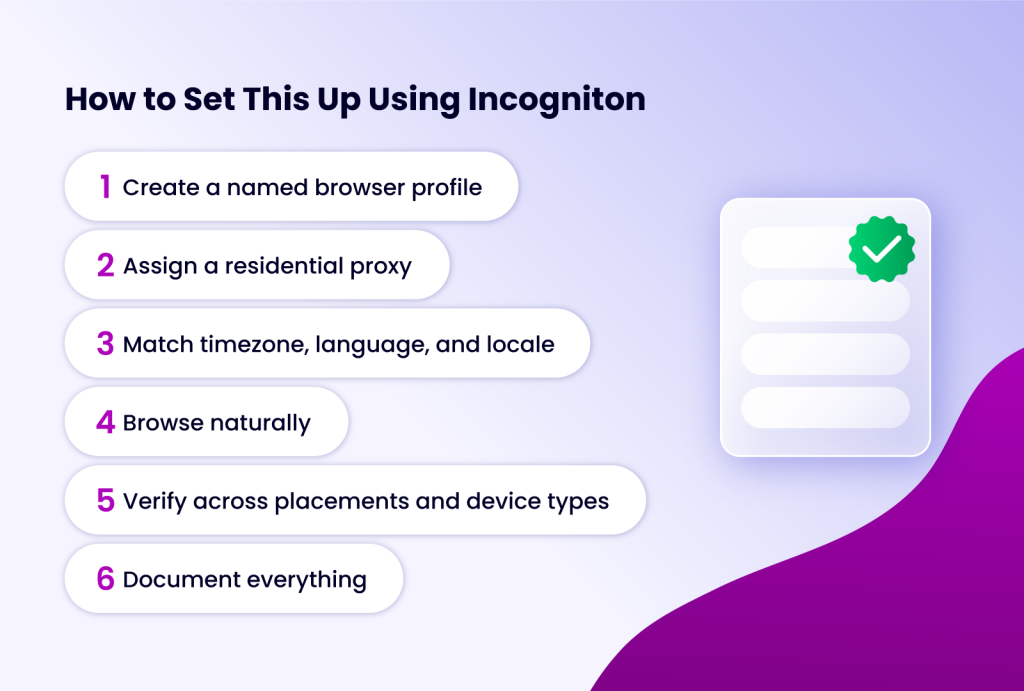
Setting up a proper verification environment takes about ten minutes the first time. Here's the exact process.
Step 1: Create a named browser profile
In Incogniton, create a new browser profile and name it for the target audience segment you're verifying. You can do something like "Austin TX — Chrome Windows — 35-50."
These specific names matter because once you're running verification across multiple markets or segments, you'll want to know exactly which profile corresponds to which test environment.
Step 2: Assign a residential proxy
While setting up the profile, you will be asked to add a proxy.
You should add a residential proxy from a provider with IP addresses in your target city or region. The proxy needs to be tied to the actual geography you're trying to verify.
If you don't have a proxy provider, you buy from the Incogniton proxy shop directly in the app.
Step 3: Match timezone, language, and locale
Configure the browser profile's timezone, language, and locale settings to correspond to the target location. An IP address alone isn't enough — platforms read multiple signals from the browser environment. A profile claiming to be in Austin but running on UTC+0 with British English locale settings will look inconsistent. Make the whole environment coherent.
Step 4: Browse naturally
Open the profile and navigate to the platform without going directly to your ad. Spend a few minutes engaging with content that your target audience would realistically browse. This gives the algorithm enough signal to identify the profile as a relevant user before serving ads. The goal is organic ad delivery — not a forced preview.
Step 5: Verify across placements and device types
For creative integrity testing, duplicate the profile and change the user agent to simulate a different device or a different operating system. This lets you check whether your ad renders correctly across the placements you're paying for, without rebuilding the whole environment from scratch.
Step 6: Document everything
Screenshot the ad as served, note the placement, click through to the landing page, and document any rendering issues. This becomes your QA record — useful for spotting recurring problems across campaigns and for conversations with platforms or agencies when something isn't right.
A note for agencies: this workflow scales cleanly. Build one profile per target market or audience segment, and run verification as a standard pre-launch and mid-flight QA step rather than a one-off investigation.
Conclusion
Checking if your ads are reaching the right audience is not a one-time task; it's a core discipline of performance marketing. By moving beyond vanity metrics and embracing the role of a data auditor, you transform ad spend from a speculative cost into a strategic investment.
The combination of platform analytics, first-party data verification, third-party tools, and a robust, isolated technical infrastructure (powered by solutions like Incogniton) provides the clarity needed to make confident decisions.
Stop wondering where your budget went. Start knowing, with precision, who it reached and the value they returned. In today's competitive landscape, that knowledge isn't just power—it's profit. Ready to start verifying your campaigns? Incogniton's free plan includes everything you need to set up your first verification profile and run your first geo-targeted ad check. Try it free here.