
Proxies power everything from privacy to large-scale data collection. But not all proxies are created equal, and choosing the wrong type can mean the difference between seamless operations and costly blocks, bans, or inaccurate data.
Two of the most popular and trusted proxy types today are mobile proxies and residential proxies. Both route your internet traffic through real IP addresses assigned to real devices, making them far harder to detect than datacenter proxies. But beneath that similarity, they differ significantly in how they work, how much they cost, and when you should use them.
This guide provides a thorough, side-by-side comparison of mobile proxies vs. residential proxies, covering their definitions, how they work, their strengths and weaknesses, pricing, and the specific use cases where each one shines.
By the end, you'll know exactly which proxy type is right for your needs.
Understanding the Core Difference: It's All About the IP Source
As we explored in our detailed guide on Residential IP vs. Data Center Proxies, the "source" of an IP address is the primary factor that websites use to detect and trust traffic.
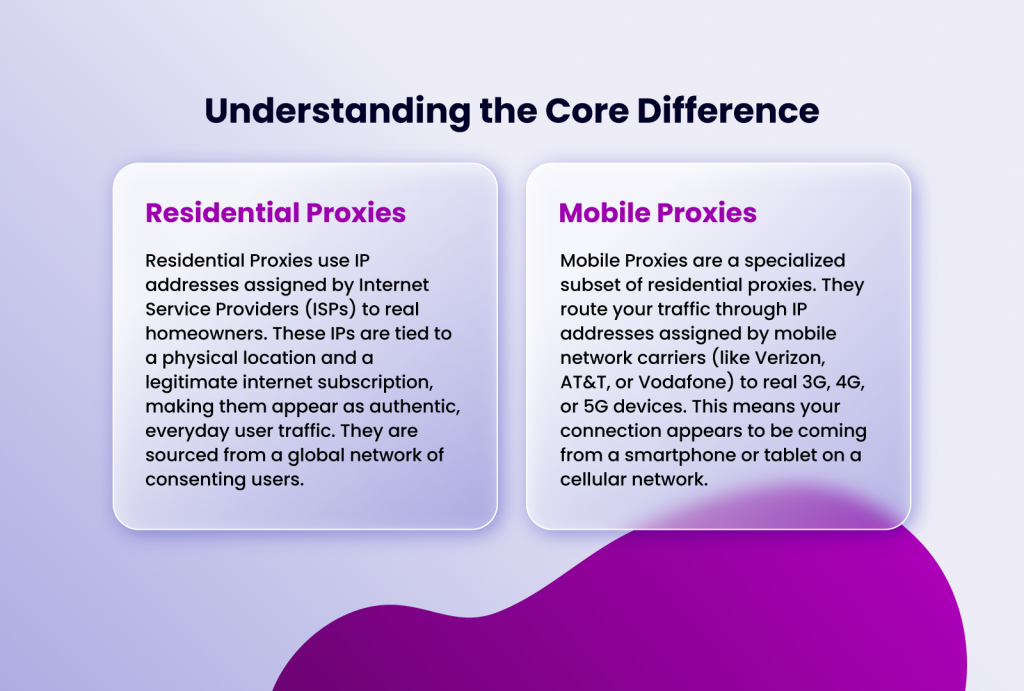
- Residential Proxies use IP addresses assigned by Internet Service Providers (ISPs) to real homeowners. These IPs are tied to a physical location and a legitimate internet subscription, making them appear as authentic, everyday user traffic. They are sourced from a global network of consenting users.
- Mobile Proxies are a specialized subset of residential proxies. They route your traffic through IP addresses assigned by mobile network carriers (like Verizon, AT&T, or Vodafone) to real 3G, 4G, or 5G devices. This means your connection appears to be coming from a smartphone or tablet on a cellular network.
How Residential Proxies Work
When you send a request through a residential proxy, it travels from your device to the proxy server, which then forwards it through a real residential IP. The target website sees only the residential IP, not your actual IP. The response comes back along the same route.
Residential proxies can be rotating (the IP changes with each request or after a set interval) or sticky (the same IP is maintained for a longer session). Most providers offer both options.
How Mobile Proxies Work
Mobile proxies work similarly to residential proxies in that traffic is routed through real user devices. However, the key difference is the network type: mobile IPs come from carrier networks, not home ISPs.
What makes mobile proxies particularly powerful is a feature of how mobile networks operate: carriers use Carrier Grade NAT (CGNAT), a system that assigns a single IP address to thousands of mobile users simultaneously. This means that even if a website detects suspicious activity from a mobile IP, it cannot simply block that IP without also blocking thousands of legitimate users - something no business wants to do.
Also, like residential proxies, mobile proxies can be rotating or sticky, and you can typically target specific countries, carriers, or even cities.
Key Differences: Mobile Proxies vs. Residential Proxies
Understanding the distinctions between these two proxy types is essential for making the right choice.
1. IP Source and Network Type
Residential proxies use home broadband IPs assigned by ISPs. Mobile proxies use cellular IPs assigned by mobile carriers. This is the foundational difference from which all others follow.
Websites often treat these two types of traffic differently. Mobile IPs, in particular, are handled with extra leniency by platforms that know their users frequently access them on smartphones.
2. Trust Level and Detection Resistance
Both proxy types are highly trusted, but mobile proxies generally have an edge. Because of CGNAT, websites cannot aggressively block mobile IPs without affecting huge numbers of legitimate users. This gives mobile proxies a slightly higher tolerance threshold on platforms with aggressive anti-bot systems.
Residential proxies are also highly trusted and rarely flagged, but their IPs can occasionally be blacklisted if previous users have abused them - a phenomenon known as IP contamination.
3. Speed and Performance
Residential proxies typically offer faster and more stable connections because home broadband networks are generally more consistent than mobile networks. Mobile connections can experience fluctuations in speed depending on carrier signal strength and network congestion.
However, 5G mobile proxies are closing this gap rapidly, with speeds that rival or surpass many home broadband connections.
4. IP Pool Size
Residential proxy networks tend to be much larger. Top providers offer pools of tens of millions of residential IPs worldwide, giving you enormous geographic diversity and rotation options. Mobile proxy pools are generally smaller - often in the hundreds of thousands to low millions - because building and maintaining mobile device farms is more resource-intensive.
5. Cost
Mobile proxies are almost always more expensive than residential proxies. The hardware, SIM cards, maintenance, and carrier costs involved in running a mobile proxy network are significantly higher than those for residential networks. Expect to pay a premium of 2x to 5x more per GB for mobile proxies compared to residential proxies.
6. Geographic Coverage
Residential proxies win on geographic coverage. Because they rely on existing home internet users in every country, providers can offer IPs from virtually any country on Earth. Mobile proxies tend to cover fewer countries, with the strongest coverage in major markets like the US, UK, and Western Europe.
Head-to-Head Comparison Table
| Feature | Residential Proxies | Mobile Proxies |
| IP Source | Home ISP connections | Mobile carrier networks (3G/4G/5G) |
| Anonymity Level | Very High | Highest (Most Trusted) |
| Typical Cost | Premium | Most Expensive |
| Speed | Moderate (Depends on host) | Can be Very Fast (with premium 4G/5G) |
| GeoTargeting | Excellent (Country, State, City) | Good (Often Country/Carrier specific) |
| Ideal For | Web scraping, Social media, Ad verification | Mobile-specific tasks, High-risk automation, Sneaker copping |
| Best With | Incogniton for multi-account management | Incogniton for high-value, mobile-centric profiles |
Pros and Cons at a Glance
| Residential Proxies | Mobile Proxies |
| Pros: Large, diverse IP pools with global coverage Lower cost per GB Excellent for most scraping and automation tasks Widely supported by proxy management tools Suitable for long-duration sticky sessions | Pros: Extremely high trust level due to CGNAT protection Very difficult to block without collateral damage to carriers Ideal for social media automation and mobile app testing Increasingly fast with 4G/5G networks |
| Cons: Slightly more vulnerable to IP contamination (shared IPs previously abused by others) Can be detected by advanced anti-bot systems on highly protected platforms Speed can vary depending on the user's home connection | Cons: Significantly more expensive Smaller IP pools with less geographic diversity Connection speed can be less consistent Overkill for many standard use cases1 |
Use Cases: When to Use Each Type
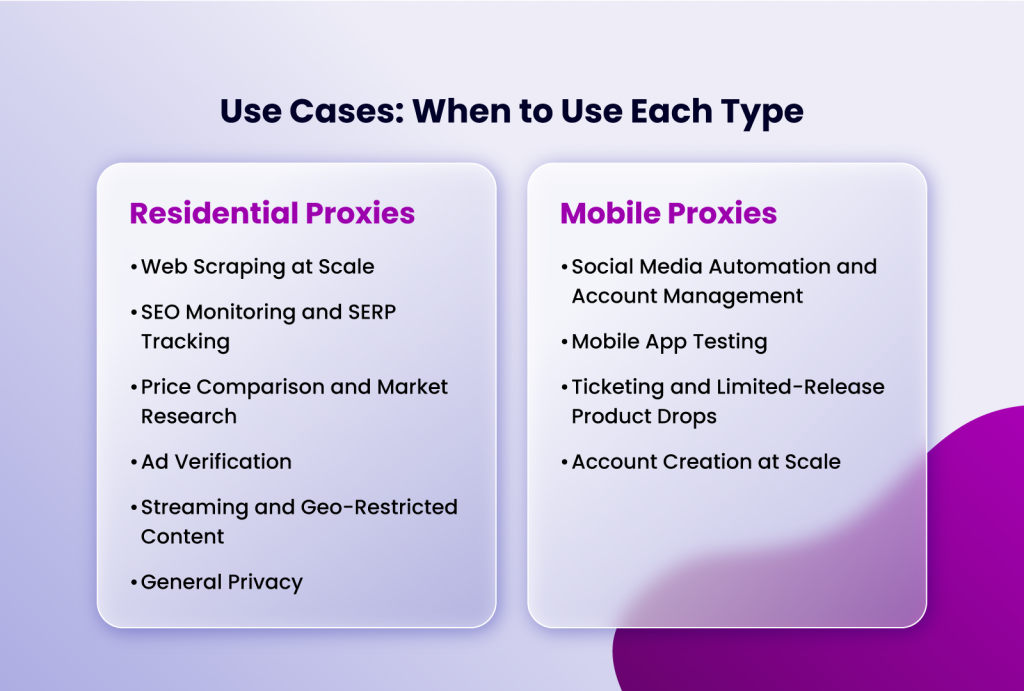
Choosing between mobile and residential proxies ultimately comes down to what you're trying to accomplish.
When to Use Residential Proxies
- Web Scraping at Scale - Residential proxies are the go-to choice for large-scale data collection from e-commerce sites, search engines, and public directories. Their large IP pools allow for high-volume scraping without triggering rate limits.
- SEO Monitoring and SERP Tracking - Checking search engine rankings from different locations requires trusted, geographically diverse IPs. Residential proxies are perfectly suited for this task.
- Price Comparison and Market Research - Monitoring competitor pricing across hundreds of websites is a classic residential proxy use case. The large pools ensure you don't exhaust your IP options quickly.
- Ad Verification - Marketers use residential proxies to verify that ads are displaying correctly in different regions, confirming that campaigns are running as intended without being blocked.
- Streaming and Geo-Restricted Content - Accessing region-locked content on streaming platforms works well with residential proxies, provided the platform hasn't blacklisted the specific IP range.
- General Privacy - Everyday users who want to browse with greater anonymity and a realistic-looking IP address often prefer residential proxies for their affordability and trustworthiness.
When to Use Mobile Proxies
- Social Media Automation and Account Management - Platforms like magicm, TikTok, Facebook, and Twitter are built with mobile users in mind. Their anti-bot systems are tuned to scrutinize non-mobile traffic more aggressively. Mobile proxies - which mimic real smartphone traffic - are the most reliable choice for managing multiple social media accounts, running automation, or scraping social platforms.
- Mobile App Testing - If you're testing how your app behaves on different carrier networks in different countries, mobile proxies provide the authentic mobile network environment you need.
- Ticketing and Limited-Release Product Drops - Sneaker bots and ticket-buying tools operate in extremely adversarial environments. Mobile proxies' high trust level and CGNAT protection make them more effective on platforms that heavily block datacenter and even residential IPs.
- Account Creation at Scale - Creating accounts on platforms that require phone verification or flag non-mobile signups is more reliably done with mobile proxies.
In some cases, the best strategy is to use both - residential proxies for high-volume, less sensitive operations, and mobile proxies as a reserve for the most challenging targets.
Conclusion
Both mobile proxies and residential proxies are powerful tools, each with a legitimate role in any serious proxy strategy. The distinction isn't about which one is better in absolute terms, it's about which one is better for your specific use case.
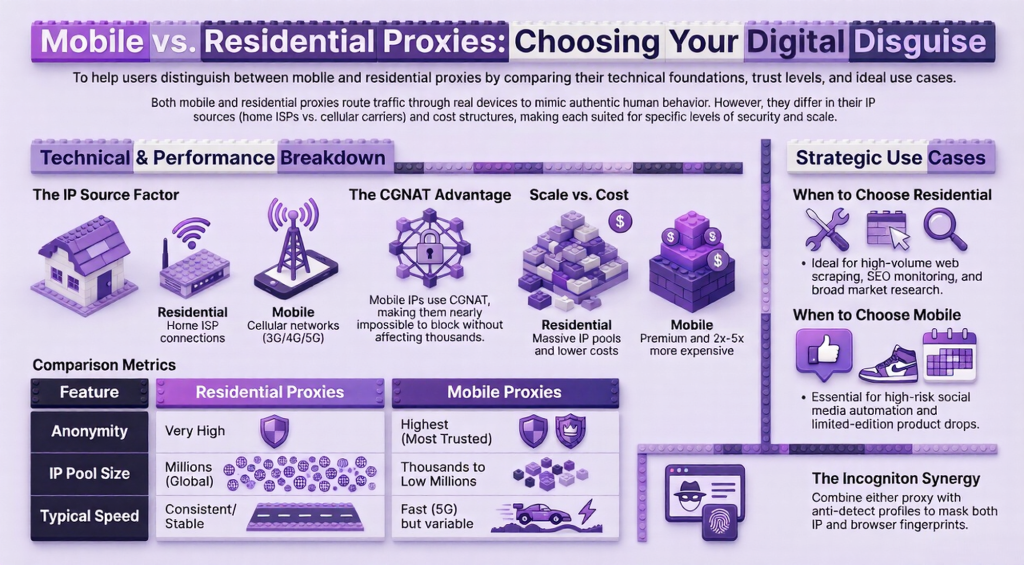
Residential proxies offer scale, diversity, and affordability. Mobile proxies offer unmatched trust, CGNAT protection, and suitability for mobile-centric platforms. Understanding these differences allows you to allocate your resources wisely and build proxy strategies that are both effective and cost-efficient.
When in doubt, start with residential proxies for general tasks and upgrade to mobile proxies when you encounter persistent blocking or need to operate on platforms that demand the highest level of authenticity.
Ultimately, your strategy should not rely on proxies alone. To achieve true, anonymous online operations-whether for business, data analysis, or privacy-you must address both your network layer (proxy) and your device layer (browser fingerprint). By integrating a high-quality residential or mobile proxy with the sophisticated fingerprint-spoofing capabilities of Incogniton, you build a formidable foundation for secure, scalable, and successful online activities. Assess your needs, weigh the costs, and choose the combination that empowers your digital goals without leaving a trace.