
Portfolio separation, tax optimisation, and strategy-specific trading are solid reasons to maintain more than one account across exchanges like Binance, Coinbase, or Kraken — a habit many serious traders have quietly adopted.
However, this seemingly logical approach can trigger a critical red flag for the exchanges themselves, potentially leading to restricted access, frozen funds, or outright account suspension.
The core issue isn't your intent. The problem lies in the digital footprints you leave behind. Exchanges employ sophisticated security and compliance systems designed to detect linked accounts, often interpreting them as potential fraud, money laundering, or attempts to bypass trading limits. Your accounts can be linked without you ever realising it, through a process called browser fingerprinting.
This post explains why exchanges link accounts, details the specific data points they use, outlines best practices for isolation, and introduces the technical solution: using an anti-detect browser like Incogniton to create truly separate digital environments for each of your exchange accounts.
Why Exchanges Flag and Link Multiple Accounts
Before diving into solutions, it's crucial to understand the exchange's perspective. Centralized exchanges (CEXs) operate under stringent regulatory frameworks. They have a legal obligation to “Know Your Customer” (KYC) and monitor for suspicious activity. Their automated systems are built to identify patterns that suggest one user is operating multiple accounts, which can be associated with:
- Circumventing limits: Avoiding deposit, withdrawal, or trading limits placed on individual accounts.
- Market manipulation: Creating the illusion of market activity or engaging in wash trading.
- Bonus abuse: Illegitimately claiming sign-up bonuses or referral rewards multiple times.
- Money laundering: Structuring transactions (smurfing) to avoid reporting thresholds.
While your reasons for multiple accounts may be entirely legitimate, the exchange's automated systems cannot discern intent. They only see the technical evidence of linkage. Getting flagged is not necessarily a reflection of wrongdoing on your part; it's a failure to technically isolate your accounts from the exchange's point of view.
The Digital Footprints That Give You Away: IP, Fingerprint, and More
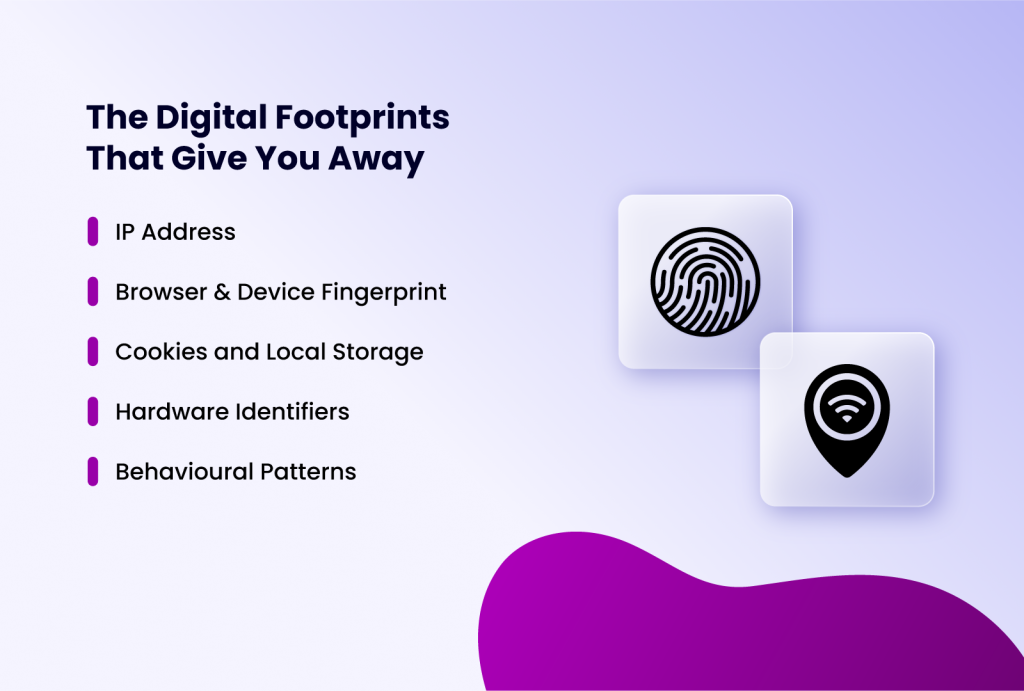
Crypto exchanges, like every online platform, link accounts by stitching together a variety of data points your browser and device transmit automatically. Here are the key identifiers:
- IP Address: Your public IP address is the most obvious link. Logging into two different accounts from the same home WiFi creates an immediate, strong connection. Even using the same VPN server for multiple accounts creates a link.
- Browser & Device Fingerprint: This is the most sophisticated and pervasive method. When you visit a website, your browser reveals hundreds of data points: your operating system, browser version, screen resolution, installed fonts, timezone, language settings, WebGL renderer, canvas hash, and more. The unique combination of these settings creates a "fingerprint" that is remarkably persistent and identifiable. Using the same Chrome browser on the same laptop for two different Binance accounts means they share an identical fingerprint.
- Cookies and Local Storage: Websites store data locally on your device. Residual cookies or localStorage data from one account session can be detected when you log into another.
- Hardware Identifiers: On mobile apps, exchanges can often access more persistent device IDs (like Android's Advertising ID or iOS's Identifier for Vendor).
- Behavioural Patterns: Login times, trading patterns, mouse movements, and even typing rhythms can be analyzed to suggest a single user.
How Anti-Detect Browsers Help Manage Multiple Crypto Accounts
Standard workarounds like incognito mode, different browsers, basic VPNs break down at some point. Even if you switch browsers or change your IP, the underlying device hardware stays the same. Your canvas fingerprint, installed fonts, screen parameters, and dozens of other signals remain consistent across every session on that machine. Exchanges cross-reference these signals, and the match is enough to flag both accounts.
An anti-detect browser is software specifically designed to help manage multiple accounts on online platforms effectively and efficiently. It allows you to create multiple, completely isolated browser profiles. Each profile has its own unique, realistic, and persistent browser fingerprint, separate cookies, cache, and local storage.
Think of it as having multiple unique, virtual computers inside your one physical machine. Exchange A sees Profile A's unique fingerprint, while Exchange B sees a completely different fingerprint from Profile B.
True Isolation — One Profile, One Identity
Every Incogniton profile is a hermetically sealed environment. It has its own browser fingerprint (canvas, WebGL, fonts, user agent, screen resolution, timezone), its own cookie jar, its own local storage, and its own proxy connection. Closing a profile does not bleed any data into another. Opening two profiles simultaneously does not create any cross-contamination.

This level of isolation is impossible to achieve with standard browsers. Chrome's incognito mode shares the same hardware fingerprint as your normal session. Firefox Multi-Account Containers isolate cookies but not the underlying device fingerprint. Only a purpose-built anti-detect browser controls the full stack of identifiers that exchanges actually use.
Automation — Scale Your Operations Without Multiplying Your Workload
Managing multiple accounts manually across separate machines is time-consuming and error-prone. Incogniton supports browser automation through Selenium and Puppeteer integration, which means repetitive tasks like logging in, checking balances, placing orders, can be scripted and run across multiple profiles without compromising their isolation.
Each automated session still runs inside its own isolated profile with its own fingerprint and proxy. Automation does not collapse the separation between accounts. You get the efficiency of scripted workflows without sacrificing the technical boundaries that keep your accounts unlinked.
Team Collaboration — Shared Access Without Shared Risk
For trading teams and fund managers, Incogniton's cloud profile sync allows multiple team members to access and operate browser profiles from different machines. A profile created and configured on one workstation can be launched by a colleague on another, with the fingerprint, proxy settings, and session state fully preserved.
This means a team can divide account management responsibilities: one person handles deposits and withdrawals, another handles active trading, without each person needing to set up their own isolated environment from scratch. The profile travels with the team, not with the machine. Access permissions can be managed at the team level, so no individual team member needs to hold credentials for accounts outside their remit.
Step-by-Step: Setting Up Isolated Exchange Accounts with Incogniton
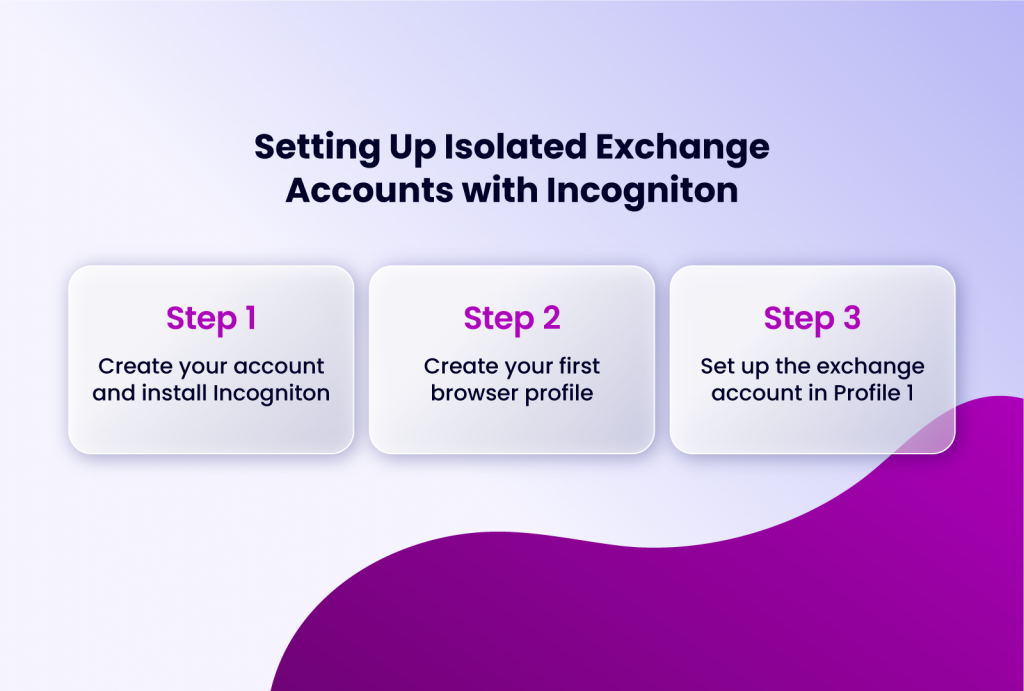
Setting up Incogniton to manage your accounts on crypto exchanges is straightforward. Here's how to go about it.
Step 1: Create your account and install Incogniton
- Visit the official Incogniton website, download the application, and install it
- Create an account if you don’t already have it.
- Incogniton offers a free plan that allows up to 10 browser profiles, which is sufficient to get started. For larger operations, paid plans unlock unlimited profiles and additional features like profile syncing and team collaboration.
Step 2: Create your first browser profile
- Open Incogniton and click "New Profile."
- Give it a clear name (e.g., "BinanceAccountPersonal").
- In the Proxy section, select the connection type (HTTP/HTTPS/SOCKS5) and enter the details for your first proxy.
- Incogniton will auto-generate a realistic browser fingerprint for the profile, but you can also manually customise parameters such as operating system, screen resolution, language, and time zone to ensure consistency with the account's registered location.
Step 3: Set up the exchange account in Profile 1
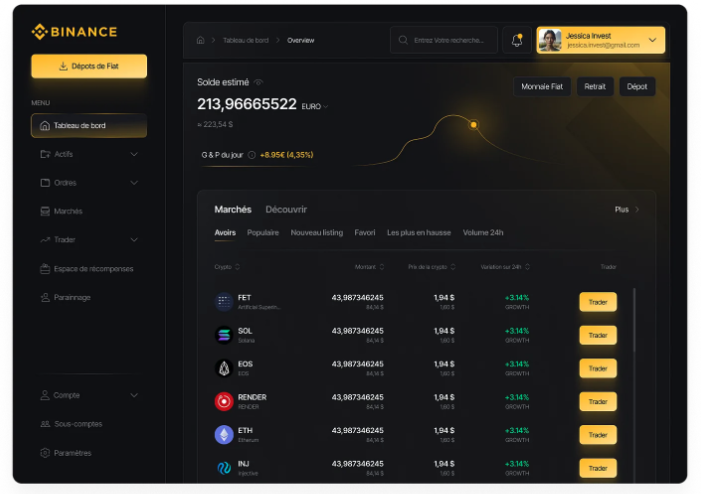
- Launch the profile.
- A dedicated browser window opens.
- Navigate to Binance.com and login using the unique email and credentials for Account 1, Bookmark the exchange page inside this profile.
Repeat steps 2 and 3 for each of your accounts.
Best Practices for Managing Multiple Accounts on Crypto Exchanges
Antidetect browser profiles handle the fingerprinting layer — but technical isolation alone is not enough. The following operational practices form the non-technical layer of a secure multi-account setup. An anti-detect browser cannot compensate for gaps here.
Use Unique Email Addresses
Each exchange account must have a dedicated, unique email address. Do not use aliases or plus addressing ([email protected]), as these are trivial to link at the domain level.
Separate Phone Numbers
Where possible, use distinct phone numbers for SMS 2FA. Virtual number services can work, but be aware that some exchanges block VoIP numbers — test before relying on them for account verification.
Different KYC Information
You must only use your own legitimate KYC information. For accounts belonging to different legal entities — a personal account and a registered company account, for example — use the legally appropriate KYC details for each entity. The goal is to ensure each legitimate identity is properly isolated, not to fabricate or reuse identifying documents.
Unique Funding and Withdrawal Sources
Avoid cycling the same bank account or payment card through multiple personal accounts. Shared financial rails create a clear, exchange-visible link that no browser configuration can obscure.
Conclusion
Managing multiple exchange accounts is a reality for advanced crypto participants. The key to doing it safely lies in recognizing that security is more than just passwords and 2FA. It's about understanding and controlling your digital identity at the browser level.
By combining foundational best practices (unique emails, etc.) with the technical power of anti-detect browsers and dedicated proxies, you can create the level of isolation needed to satisfy both your operational needs and the exchange's compliance algorithms.
Finally, you should try Incogniton's free plan today and experience how easy it is to create and manage perfectly isolated browser profiles for all your trading and investment activities.